
Modern businesses seldom operate with a single, standalone software system.
For instance, your website might be linked with a customer relationship management (CRM) tool, your CRM could communicate with an email platform, your payment gateway might need to share data with your order management system, and your analytics tool may require information from all these systems.At the core of these seamless experiences lie integration methods that govern how data flows between different applications.Two terms frequently come up in these discussions: APIs and webhooks.While they are related, they are used to address distinct communication challenges.
To grasp the difference, consider a conversation between two individuals.
An API is like making a phone call when you need specific information.You take the initiative, ask a question, and wait for a response.A webhook, by contrast, is like asking someone to call you when something important happens.You don’t have to constantly check your phone because the other person will inform you as soon as there’s news.Twilio compares this by stating that APIs are request-driven, while webhooks push data automatically when an event takes place.
This distinction becomes crucial as applications become more interconnected and businesses demand faster automation.
For instance, if an online payment is successfully processed, your order management system may need to be updated immediately.Alternatively, if you only need customer details when a user signs up, using an API might be more suitable.GitHub’s documentation also highlights that webhooks can reduce resource usage compared to repeatedly polling an API, while APIs remain useful for situations where information is needed only occasionally or on demand.
The Core Difference Between Webhooks and APIs
At the center of the webhook versus API discussion is a single, fundamental question: Who initiates the communication?
In a traditional API interaction, your application sends a request to another service, which processes the request and sends back a response.This follows the client-server model of HTTP, where clients make requests and servers provide responses.
With a webhook, the receiving application usually provides an endpoint that another service can call when a specific event occurs.
Instead of querying repeatedly, “Has anything changed?”, your application waits for an event notification.This makes webhooks particularly effective for event-driven workflows.For example, a payment provider might send an event to your application after a successful transaction, enabling your system to begin fulfillment without constantly checking for updates.
The difference does not imply that one technology is superior or more modern than the other.
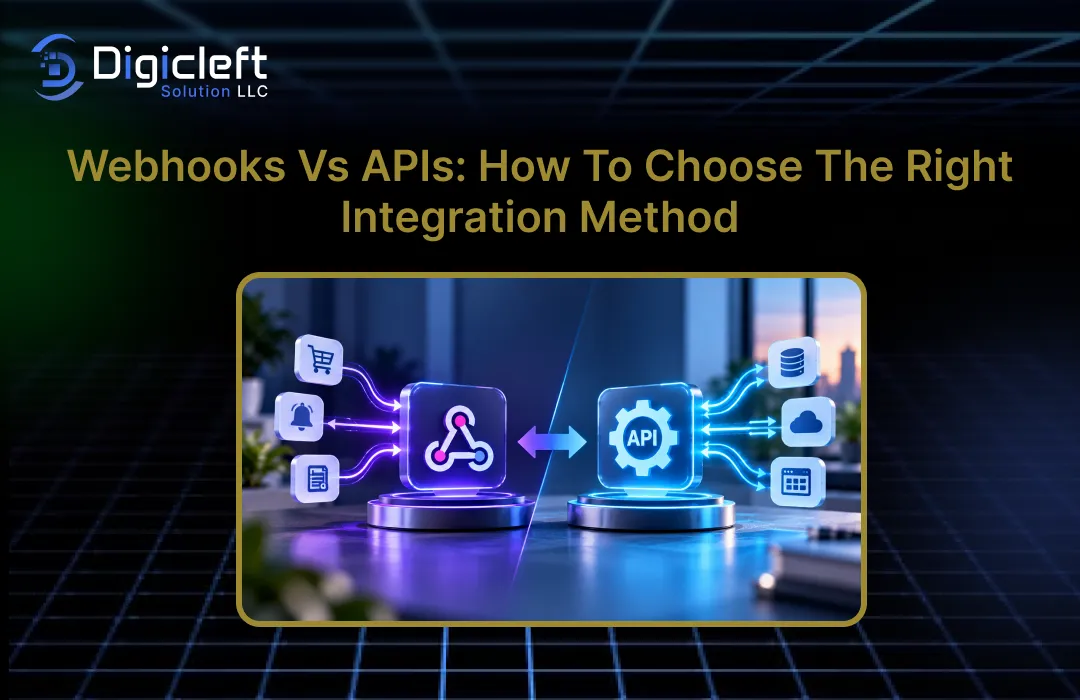
They are tools designed for different purposes.In fact, many real-world integrations use both.A webhook can alert your application about an event, while an API can then fetch more information or carry out another action.This combination often results in a more efficient and organized system than trying to make one method handle everything.
What Is an API?
An API, or Application Programming Interface, is a structured way for software applications to interact.
When referring to REST APIs, it typically means interfaces built around HTTP requests and resources, although APIs can also use other protocols and styles.An API can allow an application to retrieve records, create new items, update data, remove information, trigger actions, or perform calculations, depending on what the service offers.
Consider a business with an e-commerce app and a separate inventory system.
When a customer views a product page, your application might use an API to fetch current inventory details.The inventory service receives the request, processes it, and sends back data such as availability.Your application decides when it needs that information and controls the request.
This control is one of the key benefits of APIs.
You can request specific data at a particular moment rather than waiting for an event to occur.If your application needs a customer’s profile, it can ask for it.If it needs to update an order, it can send the correct request.The API becomes a controlled gateway through which your application can access another system’s data or features.
How API Request-Response Communication Works
A typical API interaction follows a clear process.
Your application generates an HTTP request that includes the destination endpoint, the method (like GET or POST), headers, authentication details, and sometimes a request body.
The server receives a request, checks if it is valid, carries out the action that was asked for, and sends back an HTTP response.
These responses include status codes that let the client know if the request was successful or if there was a problem.
For instance, if an application wants to get customer details, it could send a request like:
GET /customers/12345The API might reply with the customer data in JSON format.
The application then uses this data as needed.
This method works well when your application knows precisely when it needs data.
Features like search pages, dashboards, user profiles, admin tools, reporting systems, and many backend processes naturally fit this model.APIs also give developers full control over what data they request and when they request it.
However, there’s a challenge when an application needs to be informed about changes happening elsewhere.
If your system keeps asking, “Has the payment been completed yet?” it’s effectively polling.This can lead to extra requests, more processing, and delays in getting updates.
What Is a Webhook?
A webhook is an HTTP callback that happens in response to an event.
Instead of your application constantly checking for updates, another application sends data to your application when a particular event occurs.The receiving application provides a URL, often called a webhook endpoint, which accepts these incoming HTTP requests.
Consider a restaurant reservation.
You could keep calling the restaurant to check if your table is ready, or you could give them your phone number and ask them to call you when it’s available.The second approach is similar to a webhook.
The event could be a successful payment, a new customer, an order being completed, a delivery failure, a GitHub push, an email bounce, or another event supported by the provider.
GitHub specifically uses webhooks to provide near-real-time updates when specific events happen.
Payment platforms offer a common example.
Stripe allows developers to set up webhook endpoints and choose which events should be sent to these endpoints.Its webhook setup includes the endpoint URL, enabled event types, and a secret key for creating webhook signatures.
How Event-Driven Webhook Communication Works
A webhook process usually starts with an event.
Something changes in the source system, such as a payment being completed.The source system identifies which applications are subscribed to that event and sends an HTTP request with event details to the configured webhook endpoint.
Your application receives the request and handles the event.
It might update a database, send an email, generate an invoice, notify a team member, or trigger another API call.
The main benefit is that your application doesn’t need to constantly check for changes.
Instead, it can respond as soon as an event happens.This makes event-driven systems more efficient, especially when the events are not frequent but important.
Webhooks do require careful setup.
Your endpoint must verify incoming requests, check the data, manage errors, account for duplicate deliveries, and respond correctly.Stripe’s documentation, for example, offers guidance on handling delivery issues, timeouts, TLS problems, and HTTP error responses.
Webhooks vs APIs: Key Differences
The easiest way to compare the two is by looking at how they manage communication.
| Feature | API | Webhook |
|---|---|---|
| Communication model | Request-response | Event-driven |
| Initiator | Your application | Source service |
| Data flow | Pull | Push |
| Timing | When your app requests it | When an event occurs |
| Polling | May be needed for change detection | Usually avoids polling |
| Control | High control over requests | Provider controls delivery |
| Best suited for | On-demand data and actions | Event notifications and automation |
| Typical example | Retrieve customer information | Notify system that payment succeeded |
| Architecture | Request-driven | Event-driven |
The difference becomes clearer when imagining two real scenarios.
Suppose a customer opens an account dashboard and you need their latest order information.An API makes sense because your application knows exactly when it needs the data.Now imagine that a payment provider needs to inform your application whenever a payment is successful.A webhook is more appropriate because the source system knows when the event happens.
Twilio’s current documentation highlights the same core distinction: APIs provide data when an application requests it, while webhooks send information when an event occurs.
It also mentions that using both methods together is typical in real-world systems.
Data Flow, Timing, and Communication Control
The main difference in design is how timing is handled.
With an API, the client has control.It decides when to send requests and what data to get.With a webhook, the source system controls when to send a notification.
This has real-world effects.
APIs work well when you need predictable, user-driven interactions.For example, when a user clicks “View Order,” your application calls the order API, and the response comes back.There’s no need for the order system to send updates all the time.
Webhooks are better when the source system has important new information.
Instead of checking every few minutes, your application can just wait for the notification.GitHub explains that webhooks can be more scalable than constantly calling an API to monitor many resources, because applications get updates only when events happen, not through continuous checks.
API vs Webhook: Comparing Common Use Cases
When APIs Make More Sense
Use an API when your application needs specific information or features at a particular time.
This is good when the client knows exactly what it wants and when it needs it.
Common API situations include getting customer details, searching for products, creating orders, changing account data, making reports, checking inventory, or doing administrative tasks.
APIs are also useful for getting historical data, as this data might not be tied to a new event.
Think of a sales dashboard that shows this month’s revenue.
Your application might ask for the sales data from an analytics or finance service every time the dashboard loads.A webhook wouldn’t naturally handle this request because the application is asking for a specific dataset, not reacting to an event.
APIs are also useful when you need to control exactly when an operation happens.
For instance, if your application should create an invoice only after a user clicks a button, an API call can start that process directly.
When Webhooks Are the Better Fit
Webhooks are especially helpful when your application needs to respond to events.
Payment alerts are a common example, but this pattern applies to more situations.
Consider a SaaS application.
A user upgrades their plan.The billing system creates an event.A webhook can send a message to your application, allowing it to update the user’s account, unlock features, change limits, and inform internal systems.
Another example is email.
If an email bounces, a webhook can alert your application, so you can update the recipient’s status.This avoids checking the email provider repeatedly to see if a message bounced.
Webhooks can also help in development processes.
A source control system can inform another system when code is pushed, starting automated testing or deployment steps.The event serves as the trigger, and your application responds to it.
Can You Use Webhooks and APIs Together?
Yes, you can use webhooks and APIs together, and in many situations, combining them is more efficient than relying on just one.
Imagine an online payment scenario.
Your application might receive a webhook notification indicating that a payment was successful.The data in the webhook might give enough information to identify the transaction, but your application can then use the payment provider’s API to get more details or carry out a follow-up action.
This setup involves a two-step process:
Webhook:“An event has taken place.”
API:“Provide me with the needed information or allow me to take the next action.”
This architecture blends the immediacy of event-driven notifications with the control of API requests.
Twilio specifically mentions that this combined approach is widely used in real-world integrations.
This method is also beneficial for reliability.
Your system can treat the webhook as the signal that an event has happened, while using the API to retrieve accurate information or manage the system’s state when necessary.
Security and Reliability Considerations
Designing an integration isn’t only about speed or convenience; security and reliability should be considered from the start.
For APIs, authentication and authorization are key aspects.
Developers typically use methods such as API keys, OAuth, signed requests, tokens, or other mechanisms to secure access.Permissions should be limited to what the application actually needs, and credentials should never be shared unnecessarily.
Webhooks bring different security challenges: your application receives requests from another system, so it needs to verify that the incoming message is genuine.
Many providers include signing mechanisms that let your application confirm the authenticity of the request.For example, Stripe provides a webhook secret for signature verification.
Reliability is just as important.
Webhooks can fail due to server downtime, network issues, timeouts, or errors at the endpoint.Therefore, your system should be designed to handle retries, duplicate events, ensure idempotent processing, maintain logs, monitor performance, and correct any discrepancies.
A useful rule to follow is: assume messages might arrive late, more than once, or not exactly when expected.
Building with this in mind results in more robust integrations.
How to Choose the Right Integration Method
There is no single best solution when choosing between webhooks and APIs.
The choice depends on what your application actually needs to do.
Start by asking whether your application needs information on demand or needs to respond to an event.
If the application is the one initiating the interaction, an API is often the logical starting point.If another system needs to inform your application about an event, a webhook may be more suitable.
Then, consider timing.
If a user needs information right after clicking a button, an API call is straightforward.If your application needs to be informed immediately when an event occurs, a webhook can eliminate the delay and extra effort of frequent polling.
Finally, think about reliability and operational complexity.
Webhooks can reduce unnecessary polling but require your system to handle event processing.APIs offer precise control over requests but may require polling when changes occur outside your system.
Questions to Ask Before Choosing
Before starting your integration, consider these questions:
Who is responsible for knowing when an event occurs?
Does the application need data on demand?
Does another system need to notify the application automatically?
How quickly should the information arrive?
Would frequent polling create unnecessary traffic?
What happens if a notification is sent more than once?
How will authentication be handled?
How will failed requests be retried?
Can the application verify its state through an API?
These questions often lead to a clearer understanding of the architecture.
A helpful way to think about this is: APIs answer questions; webhooks announce events.
If you need to get information from another system, use an API.If another system needs to tell you about an event, use a webhook.
How to Create: Engaging and Intuitive Websites for Maximum Impact
Integration decisions are closely linked to user experience.
A website can have great visual design, but if its underlying systems don’t communicate reliably, users will eventually notice.A checkout page that doesn’t update after a payment, a booking system that doesn’t show available slots, or a lead form that doesn’t reach the sales team can turn a well-designed website into a frustrating one.
Thoughtful web development and integration architecture are essential for creating an engaging website.
Even when multiple systems are working together behind the scenes, the user should experience a simple and seamless interaction.APIs can fetch data when needed, while webhooks can keep the application updated about significant events happening elsewhere.
Take, for instance, a service website where a customer submits a query.
The website can use an API to create a lead in the CRM system.Once the CRM assigns the lead to a salesperson or updates its status, a webhook can send this information to another part of the application.This ensures the user perceives a smooth process, while the underlying technology coordinates various systems.
A practical digital solution should not just focus on individual pages but rather consider the entire digital experience and how different parts connect.
Whether you’re developing a corporate website, an e-commerce platform, a SaaS application, or a customer portal, the integration layer plays a critical role in determining the application’s performance, automation, reliability, and scalability, just as much as the visible interface does.
Conclusion
Deciding between webhooks and APIs becomes clearer when you stop viewing them as competing technologies and instead focus on the problem you’re trying to solve.
APIs are built for requests—your application can ask for data or ask another system to take action.Webhooks, on the other hand, are built for events—another system sends your application information when a specific event occurs.
For retrieving on-demand data, user actions, searches, updates, and controlled operations, APIs are often the best choice.
For event notifications, automation, and near-instant feedback, webhooks can be highly effective.In more advanced systems, the ideal solution often combines both—webhooks trigger a workflow, while APIs provide additional data or handle subsequent actions.Leading platforms like GitHub, Stripe, and Twilio clearly illustrate these complementary roles.
Ultimately, the best integration method is the one that aligns with your application’s communication pattern.
Consider who starts the interaction, when the data is required, how quickly changes need to be detected, and how failures are handled.Once you have a clear understanding of these factors, the technology choice becomes more straightforward.
FAQs
1.What is the main difference between a webhook and an API?
The main difference is who initiates communication.
APIs generally use a request-response model where your application sends a request and gets a response.Webhooks, on the other hand, are event-driven—information is sent to your application when a specific event occurs.
2.Are webhooks faster than APIs?
For event notifications, webhooks can reduce the delay associated with constantly polling an API because they send the notification as soon as the event happens.
However, the actual speed of delivery depends on the provider, network conditions, processing, and your application’s architecture.
3.Can webhooks replace APIs?
Usually not.
Webhooks and APIs typically address different needs.A webhook can alert an application about an event, while an API can provide detailed data, retrieve historical records, or carry out actions on demand.
4.Should my business use APIs or webhooks?
The choice depends on your workflow.
Use an API when your application needs to request information or perform an operation.Use a webhook when another system needs to notify your application automatically about an event.Many business integrations use both.
5.Are webhooks secure?
Webhooks can be secure, but the receiving application must validate incoming requests.
Common practices include using HTTPS, verifying signatures, implementing authentication, validating input, protecting against replay attacks, logging, and processing events idempotently.Providers like Stripe offer documentation on webhook signature mechanisms and delivery troubleshooting.

