
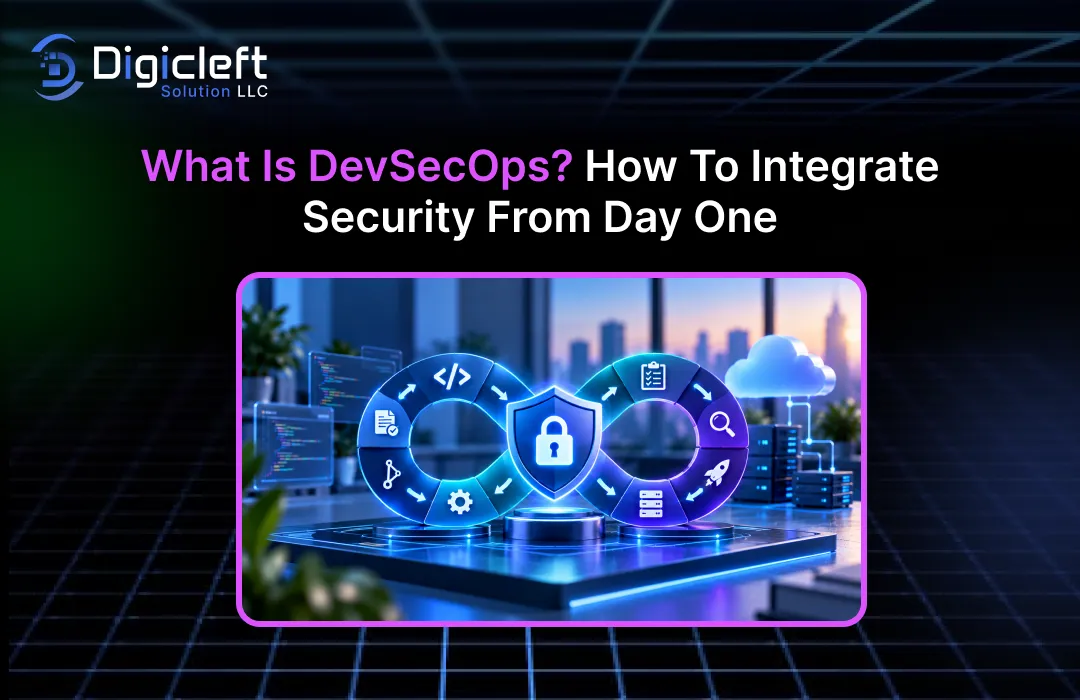
Introduction to DevSecOps
Building software these days involves more than just creating useful features and delivering them quickly.
Customers expect applications to function smoothly, businesses need to protect sensitive data, and development teams must adapt to changing requirements without introducing unnecessary risks.At the same time, cyber threats are constantly targeting applications, cloud environments, developer accounts, and the tools used to deliver software.This presents a challenge for businesses: how can they release software faster without compromising security?This is where DevSecOps comes in.Instead of treating security as a final step before launch, DevSecOps incorporates it into the development process from the very beginning.
Picture spending several months building an online shopping platform, only to find out just before launch that customer information could be exposed through an insecure API.
Fixing this issue might require changes to the application architecture, database permissions, and deployment setup.This could delay the release, increase development costs, and affect customer trust.With DevSecOps, many of these risks can be identified much earlier, when changes are easier to manage.The goal is not to slow developers down with additional procedures, but to help teams build reliable, secure applications while maintaining the speed and flexibility needed by modern businesses.
This approach is becoming more relevant as applications increasingly rely on cloud infrastructure, third-party libraries, automated deployment pipelines, and AI-assisted development tools.
In 2026, the National Institute of Standards and Technology (NIST) released updated DevSecOps guidance, showing how organizations can apply secure software development practices through modern delivery pipelines.The guidance highlights the importance of automation, collaboration, continuous monitoring, and security throughout the software lifecycle.
In this guide, we will explore what DevSecOps is, why businesses need it, the practices and tools that make it effective, and how you can integrate security into your development workflow from the start.
What Is DevSecOps?
DevSecOps stands for Development, Security, and Operations.
It is a software development approach that includes security practices at every stage of building, testing, releasing, and maintaining an application.Rather than leaving security checks to the end, development teams work with security professionals and operations engineers throughout the process.This allows organizations to spot vulnerabilities earlier, automate routine security checks, and reduce the risk of releasing insecure software.
Traditional development workflows often separate responsibilities into different teams.
Developers focus on writing code and implementing features, operations teams manage infrastructure and deployments, and security specialists review applications for potential weaknesses.While each team has an important role, working in isolation can lead to delays and communication gaps.For example, developers might build a feature using an outdated library without realizing it contains a known vulnerability.A security team may discover the issue only after the feature has passed testing, forcing everyone to revisit work that could have been fixed much earlier.
DevSecOps brings these responsibilities closer together.
Security requirements are discussed during planning, secure coding practices are applied during development, automated tools examine code and dependencies, and deployment pipelines enforce appropriate security policies.After release, monitoring systems help teams detect suspicious activity and respond to emerging threats.
The core idea is simple: security is a shared responsibility, not a task assigned to one team at the end of a project.
DevSecOps also encourages continuous improvement.
As applications evolve, security requirements change, new vulnerabilities are discovered, and businesses adopt new technologies.A secure application today may require additional controls tomorrow.By integrating security into daily development activities, organizations can respond to these changes without having to rebuild their entire workflow.
Why Is DevSecOps Important for Modern Businesses?
Security incidents can affect much more than an organization’s technology.
A vulnerable application may expose customer information, disrupt business operations, damage a company’s reputation, or lead to legal and regulatory issues.Even if an incident doesn’t result in a confirmed data breach, investigating and fixing the underlying weakness can cost significant time and resources.
DevSecOps helps organizations address these risks before they become major problems.
Automated testing can uncover certain coding mistakes during development, while dependency analysis can reveal vulnerable third-party packages.Infrastructure scanning can detect insecure cloud configurations before they reach production.These controls provide developers with earlier feedback and help businesses make informed decisions about release readiness.
Another reason DevSecOps matters is the growing complexity of modern software.
Applications are seldom created completely from scratch.
A typical product often combines an application framework, open-source libraries, cloud services, APIs, container images, and external integrations.Each of these components introduces dependencies that must be understood and maintained.NIST’s current DevSecOps project emphasizes the importance of managing software supply-chain risks and applying security practices throughout modern development pipelines.
Consider a company building a customer portal.
The application may depend on a web framework, a payment gateway, a cloud database, and various authentication libraries.If a weakness appears in one of these dependencies, the company needs a reliable way to determine if its application is affected and decide on the necessary action.DevSecOps supports this process by making dependency tracking, vulnerability scanning, and remediation integral parts of regular development work.
It also helps teams release software with more confidence.
While security testing doesn’t ensure an application will never be compromised, it offers additional opportunities to discover weaknesses before attackers can exploit them.
The Shift-Left Security Approach
One of the central ideas behind DevSecOps is shift-left security.
The term refers to moving security activities earlier in the software development lifecycle, rather than waiting until an application is close to release.
Think of building software like constructing a house.
If the foundation has a serious issue, finding it after the walls, plumbing, and electrical systems are in place can be expensive and complicated.Identifying the problem during the design stage is usually easier.Software security follows a similar principle.
When developers consider security during planning and design, they can spot risks before writing a lot of code.
During implementation, secure coding guidelines and automated analysis can help catch common weaknesses.Testing can uncover additional issues before deployment, while production monitoring offers feedback on real-world behavior.
Shift-left security doesn’t mean every security activity must happen before deployment.
Some threats only become visible when an application runs in a real environment.The more complete approach involves starting security early and continuing to check throughout the application’s lifetime.
DevSecOps vs DevOps: What’s the Difference?
DevOps focuses on improving collaboration between development and operations teams.
It typically uses automation, continuous integration, continuous delivery, and monitoring to help organizations build and release software efficiently.
DevSecOps builds on that foundation by making security an integrated part of the same workflow.
It does not replace DevOps or require businesses to abandon their existing development tools.Instead, it adds appropriate security practices to the processes teams already use.
The distinction becomes clearer when comparing how the two approaches handle a software release.
| Factor | DevOps | DevSecOps |
|---|---|---|
| Primary focus | Collaboration, automation, and reliable delivery | Reliable delivery with security integrated throughout |
| Security responsibility | May involve separate security reviews | Shared across development, security, and operations |
| Code analysis | Often emphasizes code quality and functional testing | Includes automated security analysis alongside other tests |
| Dependency management | Manages application dependencies | Adds vulnerability analysis and dependency risk management |
| Deployment | Automates build and release processes | Adds security policies, checks, and appropriate release controls |
| Infrastructure | Focuses on reliable infrastructure and deployment | Includes configuration security and access controls |
| Monitoring | Tracks availability, performance, and errors | Also monitors security events and emerging threats |
| Feedback | Improves delivery and application quality | Improves delivery, quality, and security together |
Neither approach requires teams to work without human oversight.
Automated checks can identify many problems, but people are still needed to assess complex risks, investigate unusual findings, and decide how to handle exceptions.
For instance, a DevOps pipeline might automatically build an application, run functional tests, and deploy it to a staging environment.
A DevSecOps pipeline can perform those activities while also checking for exposed credentials, vulnerable dependencies, insecure infrastructure settings, and application security issues.
The best implementation is not necessarily the one with the largest number of security tools.
It is the one that places the right controls at the right points in the development process.
How DevSecOps Works Across the Software Development Lifecycle
DevSecOps works best when security requirements are connected to the entire software development lifecycle.
Each stage involves different risks, so the security activities should reflect the decisions made at that point.
The following stages provide a practical way to understand how this works.
Planning and Design
Security efforts should start even before the first line of code is written.
During the planning phase, teams should determine what information their application will manage, which systems it will interact with, and what could happen if unauthorized individuals gain access.This helps in setting up clear security requirements that influence how the application is designed and built.
Threat modeling is a helpful practice at this stage.
It helps teams consider how an attacker might take advantage of the application, access confidential data, or exploit any design weaknesses.For instance, a financial app may need strong user authentication, strict access controls, data encryption, monitoring of transactions, and protection against repeated login attempts.
Developers and architects should also decide where sensitive data will be stored, how different services will identify and verify each other, and which parts of the system need limited access.
Making these decisions early is easier when the system’s structure is still adaptable.
It’s important for teams to record security requirements together with the functional features of the product.
This approach ensures that security is considered as a fundamental part of the product from the beginning, rather than something that might be overlooked or delayed when time is pressing.
Development and Code Review
Once the implementation process starts, developers need clear guidance on writing secure code.
Secure coding standards help teams avoid common mistakes related to input validation, authentication, authorization, database queries, session management, and error handling.
Code reviews also offer a chance to spot issues before code is merged.
Reviewers can check whether new features follow established security practices, whether sensitive information is handled correctly, and whether the implementation creates new ways for unauthorized access.
Automated tools help make this process more consistent.
Static Application Security Testing (SAST) looks at source code or related files to find potential security issues without running the application.Depending on the tool and programming language, it can detect problems like unsafe data handling, injection risks, and insecure coding patterns.
Developers should also avoid saving passwords, API keys, private certificates, or database credentials directly in the source code.
Instead, applications should retrieve these sensitive values through proper secret management systems.
The key is that security feedback should reach developers while they are still working on the code.
A helpful warning should explain the problem, the possible impact, and how to fix it.
Build, Testing, and Deployment
When code is pushed to a shared repository, a continuous integration and continuous delivery pipeline can automatically build the application and run various tests.
DevSecOps expands on this by adding security checks to the pipeline.
For example, Software Composition Analysis (SCA) looks at third-party dependencies and checks them against known security issues.
This is important because even a well-written application can inherit security problems from outdated libraries.
Dynamic Application Security Testing (DAST) examines a running application to find potential weaknesses.
Other checks can analyze container images, infrastructure-as-code files, API behavior, and deployment settings.
The pipeline can also check that build artifacts come from trusted sources and have not been modified unexpectedly.
Software bills of materials, artifact signing, and provenance details can improve visibility into the components used to create a release.
Not all security findings should stop a deployment.
Teams should define policies based on the severity, how easy an attack is to carry out, the business impact, and the environment involved.A confirmed critical vulnerability may require a block on the release, while a less serious issue could be tracked for repair within an approved timeframe.
The aim is to make security checks repeatable and useful without causing unnecessary delays for developers.
Monitoring and Continuous Improvement
Security responsibilities don’t end once an application is live.
New vulnerabilities can appear in existing dependencies, attackers may find previously unknown weaknesses, and changes in infrastructure can create unexpected exposures.
DevSecOps teams use monitoring, logging, vulnerability management, and incident response procedures to keep track of the running application.
They may monitor unusual login attempts, unexpected permission changes, suspicious API activity, and configuration changes that break established policies.
Feedback from production should also influence future development.
If an incident reveals that the application has too many permissions, the team should fix the immediate problem and check for similar permissions elsewhere.If a type of vulnerability keeps appearing in code reviews, developers may need better guidance or an automated tool to catch it earlier.
A mature DevSecOps process views incidents and test results as opportunities to improve the system.
Teams review what happened, find out why the existing protections failed, and update their practices accordingly.
This creates a continuous cycle of development, testing, deployment, monitoring, and improvement.
Essential DevSecOps Practices and Tools
A successful DevSecOps program combines processes, people, and technology.
While tools can automate key tasks, they cannot replace clear responsibilities or consistent follow-through.
Several practices can help organizations starting with DevSecOps.
Automated security testing integrates checks into the development pipeline so vulnerabilities can be caught consistently and repeatedly.
SAST, DAST, and SCA each serve different purposes, so teams should choose a combination that suits their application architecture and risk level.
Secrets management protects sensitive credentials and reduces the chances that attackers can access them through exposed API keys, tokens, or passwords.
Organizations should use appropriate secret storage solutions, limit access, rotate credentials when necessary, and scan repositories for accidental exposure.
Infrastructure-as-code security checks configuration files used to create cloud resources, networks, containers, and other infrastructure.
These checks help find issues like storage that is open to the public, firewall rules that allow too much access, or the lack of encryption before the infrastructure is set up.
Identity and access management means giving people, services, and automated systems only the permissions they really need.
Using multi-factor authentication, temporary credentials, secure environments for deployment, and the principle of least privilege can limit the harm caused by hacked accounts.
Software supply-chain security allows organizations to know and protect the parts used in building their apps.
Keeping track of dependencies, checking for known dangers, ensuring software artifacts are safe, and following trusted build methods make it easier to spot and deal with risks from third-party software.
Security monitoring and incident response give teams a view of how their applications are behaving after they are live.
It’s important to have clear steps for looking into security alerts, stopping threats, sharing information about security incidents, and fixing issues quickly.
The OWASP DevSecOps guidance for 2025–2026 covers these practices throughout the stages of design, development, building, testing, releasing, deploying, and operating.
It also covers security in continuous integration and delivery, protecting the software supply chain, and handling security concerns related to AI.
Organizations do not need to apply all possible security controls right away.
Smaller companies might start with checking repository secrets, reviewing dependencies, analyzing code, and using secure production deployments.More advanced testing and oversight can be added as the development process becomes more mature.
How to Integrate Security From Day One
Integrating DevSecOps doesn’t require a total rewrite all at once.
A better way is to find the main risks, put in a few solid controls, and grow the program bit by bit.
Step 1: Assess Your Current Development Workflow
Start by learning how your team writes, tests, and releases software.
Find out where code is kept, how dependencies are handled, who approves changes, and which systems can access production.
Look for common problems, such as developers sharing passwords, security testing only done before launch, or production deployments using too many permissions.
This assessment gives you a starting point for improvement.
It also helps you avoid buying tools for issues that your organization doesn’t actually face.
Step 2: Define Security Requirements Early
Talk with developers, security experts, product managers, and operations teams to set up security requirements before starting development.
These requirements should relate to the application and the data it deals with.
An app handling payments might need strong control over transactions and fraud checks, while an internal reporting tool might focus more on access control and data protection.
The requirements should be detailed enough to be tested.
Instead of saying “the app must be secure,” define things like expected authentication steps, access limits, encryption needs, logging requirements, and acceptable levels of vulnerabilities.
Step 3: Integrate Security Into CI/CD
Find places in your current pipeline where automated checks can give useful information.
For example, a pull request might trigger secret scanning, code analysis, and dependency checks.
A successful build could move to integration testing and dynamic security testing in a safe environment.Before going to production, the pipeline could check the integrity of the software and require approvals for important changes.
Start with controls that cover your biggest risks.
Test them with real workflows before making every finding a must-pass condition for release.
Step 4: Protect Development and Deployment Credentials
Your deployment pipeline might have access to publish software, reach cloud services, or change production systems.
That makes it a key target for security.
Use separate identities for automation, give only the needed permissions for each process, and avoid using long-lasting credentials across different projects.
Keep repository settings safe, require proper reviews, and limit who can change deployment processes.
OWASP’s CI/CD security guide points out the risks of poor access control, exposed credentials, unsafe pipeline setups, misuse of dependencies, and insufficient logging.
Step 5: Train Developers and Encourage Collaboration
Developers should understand common security issues and how to stop them.
However, just training isn’t enough.Teams also need clear documentation, reusable secure coding examples, easy support, and automated feedback that shows how to fix problems.
Security experts should work with developers rather than just being gatekeepers.
Operations teams should share knowledge about infrastructure, monitoring, and deployment risks.
When responsibilities are shared, security problems are more likely to be addressed before they turn into emergency situations.
Step 6: Measure Progress and Improve Continuously
Track important signs like how long it takes to fix high-risk vulnerabilities, how often certain issues keep coming up, how quickly dependencies are fixed, and what percentage of critical repositories are covered by automated checks.
Avoid judging the effectiveness of security efforts solely based on the number of vulnerabilities found.
An increase in findings might suggest that the scanning process has improved rather than that the application has become less secure.
Regularly assess the results, update security policies as risks evolve, and apply insights from past incidents to enhance the development process.
The goal is to make secure development a regular part of software delivery, not a one-time project that concludes after the first deployment.
Common DevSecOps Challenges and How to Overcome Them
While DevSecOps brings clear benefits, its implementation can be challenging.
Organizations often face issues like a lack of security expertise, outdated applications, multiple security tools, and pressure to deliver features quickly.
One frequent problem is alert fatigue.
Security tools can produce a large volume of findings, including false positives and issues that are hard to exploit.When every alert seems equally urgent, developers may find it difficult to prioritize the most critical issues.Risk-based prioritization helps by assessing severity, ease of exploitation, exposure, and business impact.Teams should also examine recurring false positives and fine-tune their tools for more actionable feedback.
Another challenge is resistance to change.
Developers may view new security requirements as extra work, especially when tools provide unclear messages or slow down build times.The solution is to introduce security practices gradually, explain their importance, and make remediation as simple as possible.Quick feedback, clear responsibilities, and reusable secure components can help reduce resistance.
Legacy systems present a different kind of challenge.
Older applications may use outdated frameworks, tightly integrated code, or manual deployment methods that complicate automation.Rather than trying to modernize everything at once, organizations can focus on exposed systems, identify critical vulnerabilities, and apply targeted controls while planning for future improvements.
Businesses may also struggle with tool complexity.
Using multiple overlapping security products can increase costs without adding real protection.Before adding another tool, evaluate the specific risk it addresses, how its findings will be managed, and whether existing controls already cover similar areas.
Finally, some teams may believe that automated scanning ensures security.
This is not the case.Tools cannot detect all architectural issues, understand every business-specific risk, or replace incident response planning.A successful DevSecOps approach combines automation with skilled personnel, solid processes, and ongoing evaluation.
Benefits of DevSecOps for Businesses
The most immediate advantage of DevSecOps is earlier identification of security problems.
When weaknesses are found during development, teams can often fix them before they reach release branches, production environments, or dependent services.
This can reduce the need for rework and help organizations keep release schedules consistent.
Developers get feedback while they still understand the code they’ve written, rather than returning to outdated features months later to address a security issue.
DevSecOps also fosters better collaboration.
Development, security, and operations teams share information about vulnerabilities, deployment risks, and production behavior.This helps prevent essential security responsibilities from falling between teams.
Another benefit is improved visibility into the software supply chain.
By tracking dependencies and securing build processes, organizations can respond more effectively when a third-party component becomes vulnerable.This is especially important for businesses reliant on open-source software and cloud services.
Consistent security practices can also support compliance efforts.
Organizations may find it easier to show that required checks were performed, access was controlled, and security issues were handled according to established policies.
For businesses that serve customers online, these practices can help build customer confidence.
Customers expect their data to be handled responsibly, even if they are not directly aware of the security measures in place.
Of course, the results depend on how well DevSecOps is implemented.
A company that installs scanning tools but ignores the findings will not enjoy the same benefits as one that connects testing to remediation, assigns clear responsibilities, and continuously refines its controls.
How DevSecOps Supports Secure Website Development
Websites and web applications often manage sensitive data, user accounts, business activities, and links to external services.
Because of this, security is a crucial part of website development, not just a task that happens after the design is finished.
A secure site starts with a well-thought-out structure.
Developers should think about user authentication, permission controls, input validation, data storage, session handling, API security, and protection from common web threats.These choices affect both the reliability of the application and the user experience.
For example, a site may look great and have an easy-to-use layout but still leak private data through a weakly secured API.
Similarly, an online store might have a smooth checkout process but use old software or insecure server settings.Good design and strong security must go hand in hand.
This is where DevSecOps is especially helpful.
Automated code reviews, checking for dependencies, testing infrastructure, and managing deployments can help spot weaknesses throughout the development process.Once the website is live, monitoring and regular updates help teams deal with new threats.
Businesses looking to create engaging and user-friendly websites should think about security along with usability, performance, accessibility, and responsive design.
A site should make it simple for visitors to achieve their goals while keeping their accounts and information safe.Security features like proper authentication, secure sessions, and carefully set-up access controls should support the user experience instead of causing unnecessary problems.
For companies seeking website development and digital solutions, Digicleft solutions can be discussed as part of a broader conversation about building websites that balance usability, performance, and security.
The key idea is that security should be considered during planning, design, development, testing, and maintenance.
In the end, an engaging website isn’t just visually appealing or easy to navigate.
It should also work reliably, protect user information, and offer a trustworthy experience.By integrating DevSecOps into website development, teams can make security an ongoing part of delivering that experience.
The Future of DevSecOps
DevSecOps continues to develop as organizations use cloud-native architecture, automate more development work, and include artificial intelligence in their products and processes.
AI-assisted coding tools can help developers create code, explain unfamiliar functions, and spot possible issues.
However, AI-generated code still needs to be checked and tested.It may introduce unsafe patterns, use inappropriate dependencies, or mishandle private information if teams don’t put the right safeguards in place.
Organizations building AI-powered applications also need to consider risks unique to these systems.
Depending on the product, these risks could include prompt injection, exposure of personal data, too many permissions, insecure model integrations, and unintended access to outside systems.
Automation will remain an important part of the process, but the main goal should be making secure decisions rather than just adding more automated checks.
Human review remains valuable for understanding complex results, assessing business impact, and approving exceptions that involve major risks.
Software supply-chain security is another critical area.
Modern applications rely on many interconnected parts, build systems, repositories, and deployment services.Protecting these elements requires more than scanning source code.Teams must also control access to automation systems, check software artifacts, track dependencies, and watch for changes in their development environments.
Current NIST guidance brings together secure development practices, automation, supply-chain protection, and zero-trust principles under a modern DevSecOps model.
As these practices develop, businesses will need development workflows that can respond to new threats without turning every software release into a complicated security effort.
Organizations that build a strong security foundation now will be better prepared to use emerging technologies in a responsible way.
Conclusion
DevSecOps includes security in every stage of the software development lifecycle, from planning through deployment and ongoing maintenance.
Rather than waiting until an application is ready to launch, teams identify risks early, perform necessary automated checks, secure development infrastructure, and use feedback from production to improve their security practices.
Getting started doesn’t mean overhauling your entire development process.
Begin by evaluating your current workflow, setting clear security requirements, protecting personal information, and adding a few key security checks to your CI/CD pipeline.As your team gains experience, expand your security controls to cover infrastructure, dependencies, supply chains, monitoring, and incident response.
The most important change is cultural.
Security should not be the job of one specialist or a final review step.
Developers, security experts, operations engineers, and business leaders all play a part in lowering risks.
When security is included as part of regular development work, organizations can make better choices, fix issues sooner, and release software with more confidence.
The ideal time to build security into an application is before problems occur, and DevSecOps offers a practical way to achieve this.
Frequently Asked Questions (FAQs)
1. What is DevSecOps in simple terms?
DevSecOps is a method of software development that combines development, security, and operations.
It ensures that security is constantly considered throughout the process rather than being addressed only at the end.Teams use secure coding techniques, automated testing, access controls, and ongoing monitoring to spot and handle risks during the entire lifecycle of an application.
2. What is the main purpose of DevSecOps?
The main goal of DevSecOps is to help organizations create and release software more efficiently while lowering security threats.
It encourages teams to find vulnerabilities early, perform necessary security checks automatically, protect the development environment, and deal with threats more effectively.It also supports a shared responsibility for application security across all teams.
3. What is the difference between DevOps and DevSecOps?
DevOps focuses on teamwork and automation between development and operations teams to enhance software delivery.
DevSecOps takes this further by integrating security practices into those same workflows.It adds activities such as scanning for vulnerabilities, checking secure configurations, analyzing dependencies, managing secrets, and monitoring for security threats.
4. Which tools are commonly used in DevSecOps?
Common DevSecOps tools include static application security testing (SAST), dynamic application security testing (DAST), software composition analysis (SCA), secret-scanning tools, infrastructure-as-code scanners, container security scanners, and centralized monitoring systems.
The right set of tools depends on the application’s design, technology used, business needs, and risk level.
5. How can a business start implementing DevSecOps?
A business can start by looking at its current development process and identifying its top security risks.
It should set clear security requirements, secure credentials, introduce automated code and dependency checks, and make sure its deployment pipeline is secure.Training developers and assigning responsibility for fixing security issues are also important.Once the initial steps are working well, the organization can grow its DevSecOps practices gradually.

