
Selecting a content management system (CMS) is a decision that can quietly influence your business website for years.
At first, the different options may seem similar. You need a place to publish pages, update blog entries, upload images, and manage your website content. However, as your business expands, you might find that the underlying architecture of your CMS affects much more than just content publishing. It can impact website speed, design flexibility, marketing processes, development costs, and how customers interact with your brand.
There are two common approaches to CMS architecture: traditional CMS architecture and headless CMS architecture.
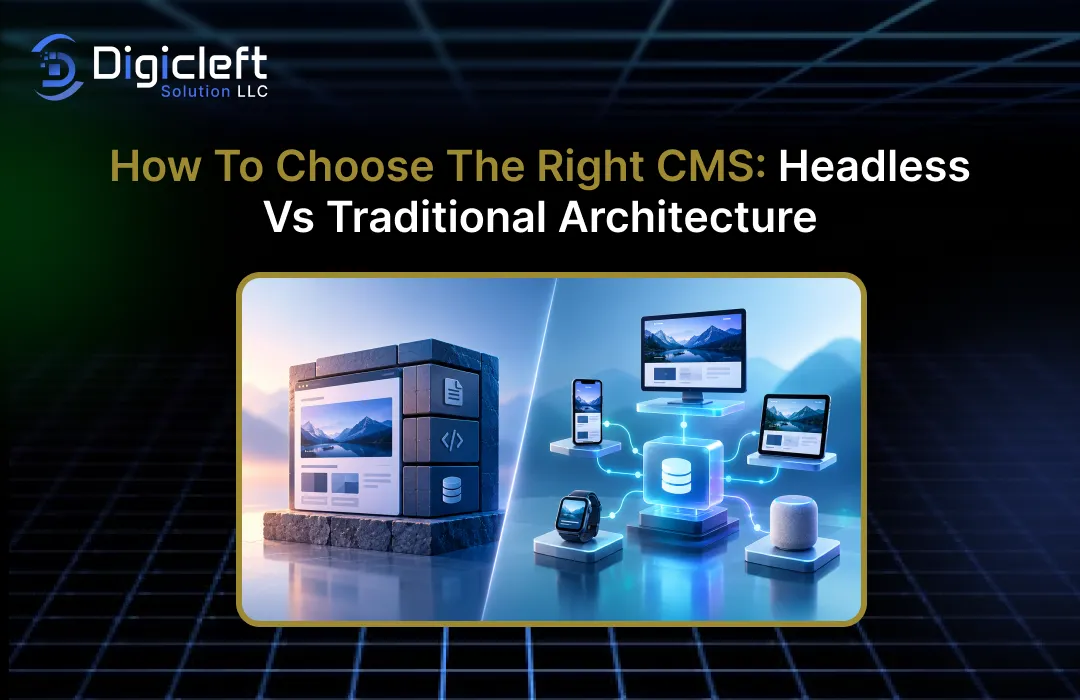
Both help businesses manage digital content, but they function differently. A traditional CMS connects content management with the way content is displayed on a website. In contrast, a headless CMS separates the content backend from the frontend experience.
So, which approach is best for your business?
The answer depends on what you’re building, how your team works, and where your digital presence is headed. A small business with a simple website might benefit from a traditional platform that is easy to manage. On the other hand, an organization that needs to deliver content across websites, mobile apps, and other digital platforms may find a headless solution more flexible.
In this guide, we will compare both architectures, explore their benefits and limitations, and explain how to choose a CMS that supports your business goals without adding unnecessary complexity.
Understanding Content Management Systems
A content management system provides your team with a practical way to create, organize, edit, and publish digital content without having to build every page from scratch.
Depending on the platform, the content might include website pages, product descriptions, landing pages, blog articles, images, customer resources, and other information that visitors need.
Without a CMS, even simple updates can require developers to edit code or work directly with website files.
With a suitable CMS, authorized team members can make many changes through an administrative dashboard. This makes content management more accessible to marketing teams, business owners, editors, and other non-technical users.
However, not all CMS platforms handle the presentation and delivery of content the same way.
This difference is what separates traditional architecture from headless architecture.
What Is a Traditional CMS?
A traditional CMS combines content management with the tools that determine how content appears on a website.
The backend stores and organizes the information, while the presentation layer uses themes, templates, and other components to display that information to visitors.
WordPress is a familiar example of this approach when used with its conventional theme-based setup.
Website administrators can write blog posts, create pages, install plugins, choose a theme, and manage many website functions from one place. Other platforms, such as Drupal and Joomla, can also be used in traditional CMS configurations.
Imagine you run a local service business.
You need a homepage, service descriptions, a contact page, customer testimonials, and a blog that your marketing team can update weekly. A traditional CMS can provide all these features without requiring you to build a separate frontend application.
This integrated structure is one of its main advantages.
Your team can often manage both content and presentation through a single platform, which reduces the number of systems you need to maintain. Themes and plugins can also cut down on development time, especially when your website requirements are modest.
The trade-off is that the frontend and backend are more closely connected.
If you need highly customized experiences, multiple independent digital channels, or special performance requirements, you may require additional development work or a different architectural approach.
What Is a Headless CMS?
A headless CMS separates the content management backend from the frontend that displays the content.
The backend stores and manages content, while a separate application retrieves that content through an API and presents it to users.
Platforms such as Contentful, Sanity, and Strapi are commonly associated with headless content management.
These platforms vary in their capabilities, but they generally allow developers to build the frontend independently using technologies best suited to the project.
Think of the CMS as a central kitchen and the frontend as the service counter.
The kitchen prepares and organizes the information, while different counters deliver it in formats suitable for different audiences.
A website might use one frontend, a mobile app another, and a customer portal a third, all pulling content from the same source.
This separation is helpful for businesses that want greater control over their digital presence.
Developers can choose their preferred frontend frameworks, optimize how content is displayed, and create different user interfaces without being limited by the CMS’s built-in templates.
However, headless architecture does not automatically mean it is easier or less expensive.
It may require developers to build and manage the frontend, set up API connections, implement preview workflows, and handle deployment infrastructure. Your team also needs to ensure that content editors can work efficiently without relying on developers for every publishing task.
Headless vs. Traditional CMS: Key Differences
The main difference lies in how content management and content delivery are handled.
A traditional CMS usually combines both functions within a single system, while a headless CMS separates content delivery from content management.
| Feature | Traditional CMS | Headless CMS |
|---|---|---|
| Architecture | Content management and presentation are closely linked | Backend and frontend are separated |
| Website setup | Often faster with themes and templates | Usually requires a separately developed frontend |
| Design flexibility | Depends on themes, plugins, and customization | Offers high flexibility over the frontend experience |
| Content delivery | Often designed primarily for websites | Can deliver content through APIs to multiple channels |
| Technical requirements | Often manageable with limited development support | Usually requires stronger frontend and integration skills |
| Marketing workflow | Frequently includes familiar visual editing tools | Depends on available editing, preview, and publishing features |
| Initial cost | Can be lower for standard websites | Can be higher when custom development is needed |
| Maintenance | Platform, themes, plugins, and hosting need attention | CMS, frontend, integrations, and infrastructure need attention |
| Performance | Depends on hosting, themes, plugins, and optimization | Depends on frontend implementation, APIs, caching, and infrastructure |
| Best fit | Conventional websites and content-driven business sites | Customized experiences and multi-channel content delivery |
Neither option is better in every situation.
A traditional CMS can support complex websites, while a headless CMS can also serve a simple site if there is a good reason to separate the layers. The best choice comes from aligning the architecture with your actual needs rather than choosing the latest technology just because it sounds more advanced.
Advantages of a Traditional CMS
Faster Setup and Easier Content Management
Traditional CMS platforms remain popular because they offer a practical approach to building websites.
Instead of creating every component from scratch, businesses can use pre-built themes, plugins, and templates to launch a functional website quickly.
For a company that needs a professional website within a tight timeline, this can make a significant difference.
Your developers or implementation partner can focus on configuring the platform, customizing the design, and adding business-specific features without having to build the entire publishing system from scratch.
Content management is another benefit.
Many traditional platforms provide familiar editing interfaces, media libraries, menus, and publishing tools. Depending on the available tools, editors may also have access to visual page builders and preview features that make it easier to see how a page will look before it is published.
These features are especially helpful for marketing teams that frequently publish content.
A team member can update a service description, add a blog post, or change a landing page without needing a developer to handle every small change.
A Large Ecosystem of Themes and Plugins
Traditional CMS platforms often have extensive ecosystems of themes, extensions, and third-party integrations.
These can help businesses add features like forms, analytics, search functionality, e-commerce tools, SEO controls, and more without commissioning a full custom solution.
For instance, a small business website might use a theme for its layout, a form plugin for customer inquiries, and an SEO plugin to manage page titles and metadata.
When the selected tools work well together, this approach can keep implementation relatively simple.
However, installing more plugins is not always the answer.
Poorly maintained extensions can introduce security issues, compatibility problems, unnecessary scripts, and performance slowdowns. The goal should be to choose reliable tools that serve a clear purpose, not to install every available feature.
A Practical Option for Small and Growing Businesses
Traditional architecture is often the sensible choice for business websites that primarily need to publish information, attract organic traffic, and generate leads.
A consulting firm, local service provider, small software company, or professional services business may not require multiple frontend applications or a complex content distribution system.
For these types of organizations, the benefits of a traditional CMS may be more valuable than the flexibility offered by a separate frontend.
A familiar dashboard and an easy-to-manage publishing process can be more beneficial than the architectural freedom that the business does not currently need.
This does not mean that the website has to remain simple forever.
Many traditional CMS platforms can be expanded with custom features, integrations, caching, and other advanced development techniques as the business’s needs change.
Advantages of a Headless CMS
Greater Frontend Flexibility
A headless architecture gives developers more freedom to decide how content is displayed and functions.
Since the frontend is separate, a team can build a highly customized website without relying on the CMS’s traditional theme system.
This can be particularly useful for businesses that want interactive product experiences, personalized landing pages, application-like interfaces, or complex user journeys.
Developers can choose frameworks and rendering methods that suit the project’s needs rather than forcing every feature into an existing theme.
For instance, an online retailer might want a fast product discovery experience with advanced filters, dynamic product information, and a highly customized checkout process.
A headless approach can support this design, although it also requires careful planning for ecommerce integrations, inventory, payments, and other business functions.
The important point is that headless architecture offers more options.
It does not guarantee a better user experience on its own. The quality of the design, accessibility, performance optimization, and proper implementation determine how well the website performs in the end.
Content Reuse Across Multiple Channels
More and more businesses are publishing content in multiple places.
A product description might appear on a website, in a mobile app, inside a customer portal, and within other connected experiences.
A headless CMS can act as a common source for this content.
Instead of having separate versions of the same information in disconnected systems, teams can create structured content and deliver it through appropriate APIs.
For example, a company that publishes product announcements and support resources might have its content team manage the information in one central location.
Different applications can then display the relevant fields in their own layouts. This can help maintain consistency and reduce duplicated editorial work.
However, there is an important consideration: sharing content does not mean every channel should display the same content in the same way.
A mobile app may need shorter descriptions, while a detailed website page might require more context, images, and supporting links. A good content model supports reuse without removing the ability to adapt content to its intended audience.
Scalability and Independent Development
Splitting the frontend and backend can allow development teams to work on different parts of a system independently.
A frontend team may improve the website interface while content editors continue using the CMS. The backend and frontend can also be scaled or deployed according to their individual needs.
This can be beneficial for larger organizations with multiple development teams, frequent releases, or several digital products.
It can also make it easier to experiment with a new frontend without replacing the entire content management platform.
However, scalability depends on more than just the architecture.
API limits, database design, caching, hosting capacity, deployment practices, and the quality of the application all affect how well a system performs under pressure.
A headless setup also increases operational responsibilities.
Teams need monitoring, error handling, API security, preview environments, and a clear process for managing changes. These requirements are manageable with the right expertise, but they should be considered from the beginning rather than being discovered after the system is already launched.
Challenges to Consider Before Choosing
The Hidden Complexity of Headless Architecture
Headless CMS platforms are often described as flexible, modern, and developer-friendly.
These benefits are genuine, but they can mask the amount of effort needed to build a full publishing experience.
In a traditional website setup, a theme might already provide page layouts, navigation, and how content is displayed.
With a headless implementation, the development team may need to create these elements separately. They might also need to build content previews, connect to search services, manage redirects, and set up image delivery.
This becomes important when the marketing team expects quick publishing.
If editors cannot preview pages reliably or change layouts without developer help, the organization may end up with a technically flexible system that actually slows down daily tasks.
Before deciding on headless architecture, consider who will manage the frontend after launch, how much development time is available, and what happens if an urgent website change is needed.
A successful implementation should improve the overall workflow, not just move complexity from one system to another.
Maintenance, Security, and Integration Costs
Traditional CMS platforms require ongoing care for core updates, themes, plugins, backups, and hosting.
Headless systems also have their own maintenance needs, including frontend dependencies, API integrations, access controls, deployment pipelines, and possibly multiple hosting services.
Therefore, when comparing costs, you should consider the entire system, not just the CMS subscription or initial development cost.
A platform with a low upfront cost could end up being expensive if it requires frequent custom work or several paid integrations.
Security should also be evaluated in context.
While headless architecture can reduce direct coupling between the content backend and the public-facing website, it doesn’t automatically make the system secure. APIs, editor accounts, third-party services, and the frontend application all need proper security measures.
A thoughtful plan includes regular updates, least-privilege access, secure credentials, monitoring, backups where needed, and testing before major releases.
These practices are important regardless of the architecture you choose.
How to Choose the Right CMS for Your Business
Start With Your Business Goals
Before comparing vendors, list what your website needs to achieve.
Are you mainly generating leads, publishing educational content, selling products, supporting customers, or delivering digital services through multiple applications?
Your answer will help determine the level of complexity you actually need.
A business website focused on lead generation may benefit from a simple publishing workflow and reliable SEO tools. A company managing content for a website, mobile app, and partner portal might have a stronger case for considering headless architecture.
Also think about how often your content changes.
If the marketing team regularly launches campaigns and updates landing pages, visual editing and fast previews may be essential. If developers control most of the presentation and content is spread across several digital products, a structured API-based system may be a better option.
Make a list of essential requirements and separate them from features that would be nice to have.
This keeps the decision focused on business outcomes rather than platform hype.
Consider Your Budget and Technical Resources
Your CMS budget should include more than just the initial setup.
Consider development, design, hosting, licenses, integrations, maintenance, security, training, and the cost of future changes.
A traditional CMS can offer an advantage when a business needs a standard website and wants to keep things manageable.
A headless CMS might be justified by a larger upfront investment if the business truly needs multiple channels, a custom frontend, or more control over how content is delivered.
Technical resources are equally important.
Does your organization have developers who can maintain a modern frontend application? Can your team handle API integrations? If not, is there a reliable development partner available when problems occur?
A useful guideline is to choose the least complex architecture that meets your current needs and realistic future plans.
Avoid paying for flexibility you don’t plan to use, but don’t ignore known requirements to reduce the initial cost.
Evaluate Content Delivery and Scalability
Think about where your content will appear in the coming years.
If it will mainly be on one website, an integrated CMS may be sufficient.
If your digital presence needs to reach multiple websites, applications, or digital platforms, a headless architecture might provide a more suitable foundation.
When planning, consider how your website will handle growth.
Will you need to publish hundreds of new pages? Add new markets and languages? Implement personalization? Launch an ecommerce platform? These possibilities could influence the content model, integrations, and infrastructure you require.
Future planning should be realistic.
You don’t necessarily need to build a complex multi-channel platform just because your company might launch an app in the future. Instead, identify potential changes, understand how each CMS can support them, and compare the cost of adapting to each option.
Before making a decision, check the editorial experience.
A CMS is not just a development tool.
It’s also used daily by your content team.
Ask editors to try common tasks during a demonstration or trial.
Can they create a page, add images, preview changes, schedule content, update metadata, and fix errors without unnecessary steps? Can they see how content will look before it goes live?
For headless systems, pay special attention to visual previews, reusable content blocks, publishing permissions, and the process for coordinating content with front-end changes.
For traditional systems, make sure the editing experience stays manageable as the site grows and more plugins or custom features are added.
The best CMS should support the people who maintain your digital presence, not just those who build it.
SEO, Security, and Website Performance
Which CMS is better for SEO?
Neither headless nor traditional architecture automatically delivers better search rankings.
SEO depends on how the website is built, how useful the content is, and how well search engines can discover, crawl, and understand the pages.
A traditional CMS may offer convenient SEO tools like plugins for managing titles, meta descriptions, XML sitemaps, canonical URLs, redirects, and structured data.
These can make SEO tasks easier for a marketing team.
A headless CMS can support the same SEO requirements, but developers might need to handle more of the functionality in the front-end or through integrations.
The team must ensure that pages produce appropriate metadata, internal links work correctly, and important content is accessible to search engines.
Performance is equally important.
A headless website can be fast when developers use effective caching, optimized assets, and suitable rendering strategies. It can also be slow if every page makes unnecessary API requests or loads too much JavaScript. A traditional CMS can perform well with efficient hosting, a lightweight theme, and disciplined plugin management.
The practical lesson is to evaluate the finished website, not just the marketing claims of the architecture.
Test mobile usability, loading speed, crawlability, accessibility, and the overall experience before and after launch.
Security Considerations
Security should be part of the CMS selection process from the start.
A traditional CMS might introduce risks through outdated plugins, vulnerable themes, weak administrator credentials, or misconfigured hosting. A headless architecture could introduce risks through exposed APIs, incorrect access permissions, vulnerable dependencies, and misconfigured services.
Your team should review the vendor’s security practices, update policies, authentication options, access controls, and backup procedures.
It should also clarify who is responsible for patching the CMS, maintaining the front-end, and monitoring integrations.
A headless architecture can keep the content backend separate from the public website, but this separation only helps if it’s set up correctly.
Sensitive administrative interfaces and APIs still need protection, and public-facing applications should handle user input safely.
For either approach, ongoing maintenance and clear ownership are more important than assuming one architecture is secure by default.
Real-World Examples of CMS Architecture
Imagine a small professional services company that needs to publish service pages, share industry insights, collect inquiries, and improve its organic search visibility.
The marketing team wants to update content without waiting for developers, and the website doesn’t need a separate mobile application. A traditional CMS would likely be a practical starting point because it offers an integrated publishing experience and can support these requirements without unnecessary infrastructure.
Now consider a retail business that operates a main e-commerce website, a mobile application, and a network of digital product displays.
The organization wants consistent product information across all three platforms, while each channel has its own design.
A headless content management system (CMS) can assist in centralizing content and distributing it via APIs, but this requires the business to also plan for the necessary integrations and development efforts.
Another example is a rapidly growing software company that currently has a traditional website but is planning to launch a customer portal.
The company doesn’t need to rebuild everything at once. Instead, the team can evaluate which content should be shared, which features should be included in the portal, and whether the existing CMS can support the next phase. Based on these findings, the company might continue using the current setup, implement headless delivery for specific content, or use a combined approach that blends traditional and headless elements.
These examples emphasize an important idea: CMS architecture is a business decision, and there isn’t a single solution that works for everyone.
The best option is the one that aligns with your workflow, budget, skill set, and future plans.
How Digicleft Solution Can Help You Build the Right Website
Selecting a CMS is just one step in creating a successful digital presence.
Your website also needs a clear structure, valuable content, easy navigation, responsive design, reliable performance, and a user-friendly layout that encourages visitors to take action.
That is why “How to Create: Engaging and Intuitive Websites for Maximum Impact” is an important concept to keep in mind when developing your CMS strategy.
The technology should support the user experience you want to deliver rather than forcing your business to work around unnecessary technical constraints.
With the proper approach to website planning and development, Digicleft Solution can assist businesses in evaluating their website needs, exploring suitable architecture options, and aligning design choices with their broader digital goals.
The process should start with understanding the audience, content requirements, business objectives, and available resources—not just a preference for a particular technology.
No matter whether your project uses a traditional CMS, a headless solution, or a hybrid model, the focus should remain on creating a website that is easy for your team to manage and convenient for your customers to use.
A well-chosen CMS should help in publishing meaningful content, supporting growth, and improving the customer experience over time.
Conclusion
Deciding between a headless and a traditional CMS becomes much clearer when you consider factors beyond technical labels.
A traditional CMS offers an integrated approach to managing content and presentation, making it a practical option for many business websites. A headless CMS separates these responsibilities, providing greater flexibility on the frontend and serving as a strong foundation for businesses that distribute content across multiple digital channels.
Neither approach is inherently better for SEO, security, speed, or long-term growth.
These outcomes depend on how well the system is implemented, the team’s capabilities, ongoing maintenance, and the specific needs of your business. A complex architecture can add unnecessary work if your needs are straightforward, while a highly integrated platform might become limiting if you need to handle multi-channel requirements.
Start by defining your goals, assess the editorial experience, calculate the total cost of ownership, and consider the technical resources available to you.
Choose a platform that addresses current challenges without making future changes more difficult.
In the end, the right CMS is the one that helps your team deliver useful content, maintain a strong digital experience, and grow your business with confidence.
Frequently Asked Questions
1. What is the main difference between a headless CMS and a traditional CMS?
A traditional CMS typically links content management with the part of a website that displays content.
A headless CMS separates the part that stores content from the part that shows it, enabling developers to send the same content to different applications or digital platforms via APIs.
2. Is a headless CMS better for SEO?
Not necessarily.
Both types of CMS can support good SEO if set up properly. Traditional CMS systems often come with easy SEO tools, whereas headless setups might need more work to handle metadata, structured data, redirects, sitemaps, and how content is displayed. Factors like content quality, site navigation, user experience, and site speed are still important.
3. Which CMS is best for a small business website?
A traditional CMS is usually a good choice for small businesses that need service pages, a blog, forms for collecting leads, and simple content editing.
However, the best option depends on the features needed, budget, available technical support, and whether content needs to be shared across different platforms.
4. Is a headless CMS more expensive than a traditional CMS?
It could be, especially if you need a separate frontend, custom integrations, or extra infrastructure.
However, costs depend on the platform and project. It’s better to compare development, subscription fees, hosting, maintenance, training, and future changes rather than just looking at the initial cost.
5. Can a business switch from a traditional CMS to a headless CMS later?
Yes.
A business can transfer content and build a new frontend, but the process needs careful planning. The team should think about content structures, website URLs, redirects, SEO information, integrations, content workflows, and testing. In some cases, a slow or mixed transition is more practical than replacing the whole system at once.

