
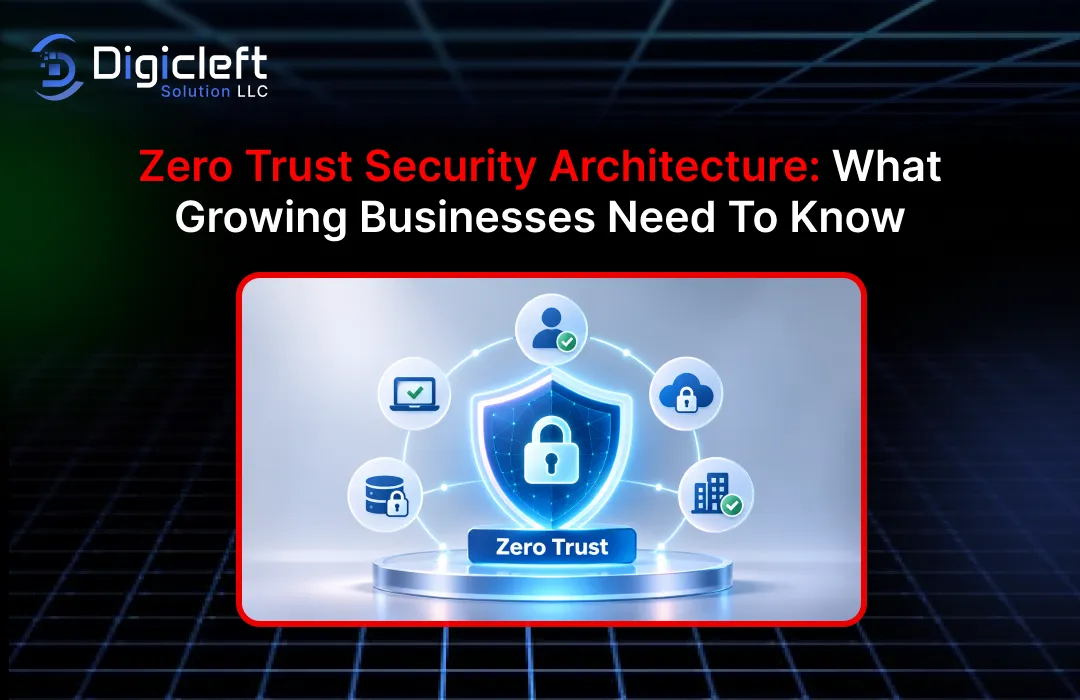
Cybersecurity is no longer something you can just ignore until it’s a problem. With the expansion of your company – people will be working remotely, using cloud-based technologies, holding customer data, and working with different service providers. Which means that each of those links is a new access point for a cybercriminal. Even if your business is relatively small, and you have an in-house IT department, you can quickly develop an estate that’s challenging to secure through traditional security methods.
Enter the Zero Trust Security Architecture. Instead of assuming users and devices are safe on the company network, Zero Trust will scrutinise all access requests. This means considering things like the identity of the user, what condition the device is in, the level of permissions, and continuous monitoring and securing of the data.
If you’re a growing business then this is one way of bolstering your security without having to build out the network wall in the traditional sense. Whether you’re a cloud-ing business, hiring staff to work from home, or developing some digital services Zero Trust can help you make more informed security choices.
Here’s a look at how it works, the benefits and how you can leverage it.
1. Understanding Zero Trust Security Architecture
The security model is designed on a principle that “never trust, always verify.”
In security models, firms would often just trust their networks. When we had the company network, we could get into the tools – no outside verification needed. That was pre-Microsoft when almost all of us were working on-site, on our own networks.
Things have changed.
Employees can now also log on from home, access customer information or connect to cloud services using their mobile phones while they’re travelling. The business will also be collaborating with contractors, developers and partners who will require access to different areas of the business.
There’s no room with a traditional network wall to secure all of those connections.
We evaluate each access request according to the user identity, device health, location, resource requested and risk at the time. We only allow access if the access request complies with the security policies of the business.
For instance, picture a worker signing in to the software every day from their work laptop computer. One night, a brand-new gadget is attempting to authorize in from a various place. Zero Trust wouldn’t simply permit that login as a result of the password was proper – it would require extra verification or it would merely reject the attempt.
What makes Zero Trust so different: it does not make an assumption about an account, device or network that has previously been verified.
The NIST details this in its Zero Trust Architecture guidance (SP 800-207). The new implementation guidance (issued June 2025) includes advice on how organisations can safeguard resources in on-premises, cloud and hybrid environments.
2. Why Growing Businesses Need a Zero Trust Security Model
Security challenges multiply as your business expands You begin with just a handful of personnel, shared PCs and a few cloud-based applications. One year on and you may be managing many departments, staff in remote locations, outside programmers, customer-facing websites and mission-critical databases.
Access control becomes a whole lot harder.
It’s not the headcount. It’s the exponential number of connections between people, apps, devices and information.
The Changing Field of Cybersecurity
Cybercriminals are now targeting business accounts, cloud, third-party providers, and vulnerable applications. They don’t have to bypass a firewall and in some cases, it can simply take one employee’s password to cause big problems.
The cost can be very high.
Cost of a Data Breach Report for India, the average cost of a data breach is INR 255 million (INR 25.5 crore), a 15.9% increase over 2025. Phishing was the most common initial point of entry, accounting for 19% of incidents in India.
This is why businesses must implement security measures far superior to passwords and anti-virus protection.
Zero Trust aids in minimizing access, detecting suspicious activities and limiting the damage in case your account or device is compromised.
Typical Security Threats for Expanding Firms
Growing organisations often have security problems in parallel, some related to attacks and others to errors.
Common problems include:
- Access control: Employees have access to items they don’t require anymore.
- Compromised accounts: Attacker receives the password by phishing or other method.
- Unmonitored Devices: Employees work on laptops and phones that go everywhere and are subject to universal usage.
- Cloud misconfigurations: Apps or databases inadvertently open up to the internet.
- Third-party risks: The risk that enters through third parties through their connections or tools.
- Insider threats: Employees or vendors abusing their access (knowingly or unknowingly).
Here’s how Zero Trust addresses that: Zero Trust takes a granular approach to verifying secure access.
3. The Core Principles of Zero Trust Security
Zero Trust. It’s a security model, which means it’s rooted in guidelines, technology and ongoing observation.
Several fundamental principles underpin it.
Check Each Access Request
Each user and device needs to authenticate to gain access to company resources.
Verification might also entail reviewing login details, MFA, device health, location, and a variety of other security signals.
For example, if an employee logged into the company CRM using an approved laptop, they would be allowed access. However, a login attempt from an unapproved device would require further validation.
It prevents the attacker from using the stolen password.
Apply Least-Privilege Access
Staff need to be enabled to access what they need to do their role.
Imagine that this is a relatively mature e-commerce shop. The marketing team will require the campaign dashboards, product data and customer engagement reports. They will not require access to modify the payments configuration or the customer database download.
Sharing access with everyone might seem like the simple choice but actually it’s the higher risk choice.
The number of users with least privilege access is limited and based on the job role. Where temporary access is needed for completing a specific task, this can be provided.
Assume a Security Breach Can Happen
Zero Trust is not based on the principle that every threat can be prevented.
Instead it readies the business for the event that an intruder may already be within.
It’s being able to monitor user behaviour, maintaining separation of duties, guarding that valuable information and responding swiftly when anything appears suspicious.
If your employee gets hacked, the hacker shouldn’t gain access to all of your apps and databases.
That’s actually one of the nice parts of Zero Trust: a single security failure doesn’t have to trigger an enterprise-wide failure.
4. How Zero Trust Security Architecture Is Designed
When deciding whether to grant access, a zero Trust model verifies requests to a security policy, which assumes everything within your network is untrusted.
Generally, it goes like this:
Initially, user asks for an app, database or other resource, and the system verifies who they are and confirms login.
Then it goes into the specifics: is the device registered? Does it have the right level of security? Is the user using the right app for their role? Does the login look the way it normally would?
The policy system make a decision to whether to grant, deny or limit the access.
After the access is granted, the monitoring phase begins. During this phase, if a user behave abnormally or the device is even more riskier the system can ask for access verification, or end the session.
Take for example an employee in finance logging into an accounting application.
The employee logs in with a work computer. The employee logs in using multi-factor authentication. The computer system tests to see whether the employee has access to view records but doesn’t have access to change security controls. Later if abnormal activity occurs, the session can be.
This creates an environment.
The idea is not to make employees log back again and then again – every minute. The idea is to base access decisions on security information and to enforce controls during the session.
5. Key Ingredients of a Zero Trust Architecture
The Zero Trust paradigm melds with a security stack. Organizations need to know how a security stack aligns with the Zero Trust model before committing to tools.
Identity and Access Management
Identity and Access Management (IAM) enables organizations to manage who can access applications, data, and systems.
Provides features such as user authentication, account management, role assignments and permission controls.
For a large company IAM provides a methodology for control of access. When an employee joins, the administrator allocates rights according to their position. When an employee moves to a new position or leaves, the access can be withdrawn.
Will manage identity securely to prevent accounts and excessive access.
Multi-Factor Authentication
Business accounts aren’t secure with passwords alone. It’s possible that employees could reuse or share passwords or become victims of phishing.
Multi-Factor Authentication (MFA) adds another step.
Depending on the system, employees could authenticate using an authenticator app, security key, biometrics, or other approved techniques.
Protect against stolen credentials with phishing-resistant approaches such as FIDO2 security keys and passkeys.
Businesses should implement MFA on email, admin accounts, cloud services, financial tools, and any system that contains data on the customer.
Device Security and Segmentation of Networks
Zero Trust always verifies device health before granting access.
A company laptop with its software endpoint protection and encryption up to date might be permitted. An old personal phone with enough activity would be granted limited access or be unable to connect.
Network segmentation is another part.
For allowing all systems to speak freely, companies segment their network into smaller zones. To reach other zones, there is a restriction.
For instance customer-facing applications should not be allowed to access internal financial records.
Together, device security and segmentation can bring down the impact of what a hacker can achieve.
6. Growing Business: How Zero Trust Helps
Zero Trust is not just about preventing logins. It can help companies to get a better handle on their tools to better monitor what’s happening and to respond more quickly to security issues.
A huge benefit being users only have access to what they require and divide existing systems to areas that have less opportunity for attackers to move from compromised account to another.
Visibility is another bonus. Companies are able to see who is using which resources, what device they’re on, and if something looks suspicious, which can help IT teams investigate an activity more quickly.
Zero Trust is a great option for hybrid work. Employees don’t have to be in the office to securely access business apps. The access decision depends on identity, device health and security policies.
It can be flexible – and that really makes the difference for organisations that use the cloud. Data and applications can be stored on a cloud platform, but access can be the same with standard security.
There are also operational benefits. Well-defined entry rules can facilitate onboarding, role switches, contractor entries and removal of accounts.
| Business Area | Zero Trust Benefit |
|---|---|
| Employee | Restricted permissions |
| Customer information | Better protection of sensitive data |
| Cloud applications | Secure access from different locations |
| Remote Workers | Identity-based access management |
| IT operations | Improved monitoring and visibility |
| Incident response | Reduced unauthorized movement between systems |
| Compliance | Better access records and security governance |
Zero Trust isn’t a guarantee your organisation won’t ever be breached.. It can lower the likelihood of a breach and minimize the damage if there is one.
7. How to Implement Zero Trust Security Step by Step
Zero Trust implementation isn’t the same as ripping out all your IT. Emerging businesses have the ability to start small. Concentrate on the critical systems and the most at risk points of access.
The trick is to plan
Step 1: Identify Your Business Assets
Begin with a list of critical applications, databases, employee accounts, cloud platforms, customer data, and core systems.
How do I build access rules without knowing where your critical data is located?
Step 2: Review Existing Users and Permissions
Check employee accounts that have admin rights, access for contractors and inactive accounts. Identify access that may be unnecessary.
Revoke access and state rules for new access.
Step 3: Strengthen Identity Verification
Add multi-factor authentication, improve password rules, and use identity systems. Pay special attention to admin accounts and apps with private data.
Step 4: Check Device Security
Require baseline security measures for devices accessing your corporate network. This might involve OS updates, endpoint protection, encryption, and screen locks.
Step 5: Segment Systems
Segregate sensitive databases. Financial tools. Development environment. Services that face the customer. Only communicate between those servers that must.
Step 6: Introduce Monitoring
Employ security tools to detect unusual sign-ins, unusual downloads and other indicators of abnormal permission changes.
Step 7: Test and Improve Your Policies
Regularly review access decision and follow up if employees don’t encounter restrictions in their day-to-day tasks. Ensure that your security controls are effective.
The CISA Zero Trust Maturity Model is a framework to measure the maturity of identity, devices, networks, applications and workloads, and data. It also emphasizes visibility, automation, and governance.
8. Typical Zero Trust Deployment Challenges
There can be security benefits to the Zero Trust model but it isn’t easy to implement. Here are some things companies need to keep in mind before adopting it.
The other problem is cost. It may be necessary to get identity management software, network security, endpoint protection and monitoring software. However, smaller companies may not be able to afford to purchase all of these at once.
The right approach is to deploy – beginning with high risk applications, administrator accounts and sensitive data. Then broaden out across the organisation.
Another issue would be user resistance. If security measures make it more difficult to log on or prevent people from doing their jobs, they could become frustrated. Users might attempt to circumvent the security measures.
That’s why, user experience matters. Security must secure business without making the jobs too difficult.
Legacy technology can also create problems. Older apps may not support login options or be compatible with a central identity management system. Some apps may need to be refreshed or secured.
Finally Zero Trust requires maintenance. User access change, new device. Apps change. Policies that work today might need tweaking in six months.
The end goal is to have Zero Trust be a process for an ongoing improvement rather than a “set and forget” process.
9. Zero Trust Security Best Practices
Good Zero Trust needs rules and well executed. Tools can support but clear procedures and knowledgeable staff matter just as much.
Here are a few practical tips.
- Prioritise the Accounts & Apps: Begin with admin accounts, business email, financial applications, customer records and cloud management tools. They could be a real issue if they fall into the wrong hands.
- Audit permissions frequently: Once granted, employee access shouldn’t be present just because it was granted in the past. Audits should be performed whenever jobs are transferred to ensure access is necessary.
- Authenticate: Enable two-factor authentication wherever possible, especially for admin accounts. Use ‘phishing’ for your most sensitive systems.
- Update everything: Outdated software means security gaps. Have a process in place for deploying operating system updates, patches, and endpoint protection updates.
- Apply least privilege: Make sure only those who require access to the system have it. Check what they have access to and disable when their contract is over.
- Protect data: Prevent disclosure at all points in the lifecycle. Use encryption, controls, classification and backup. Be aware of what your sensitive data is and how it travels.
- Create an incident response plan: Not every security plan can prevent every threat. You should also have a plan for how to identify unusual activity, disable compromised accounts, recover affected systems, and notify impacted users.
- Train your staff: Make sure your employees understand the dangers of phishing, safe password practices, safe use of devices, what to look out for and how to report odd behaviour. Make them realize cyber security is part of their job.
Why Website Security Also Matters
If your business is planning on expanding its website footprint, website security must be included in the overall plan of Zero Trust.
A company’s website may be connected to customer databases, payment systems, CRM’s, analytics and a bunch of other internal applications. Failure to properly secure those connections could allow a hacker to infiltrate the website and access sensitive information.
All website development should include authentication, authorisation, API’s, encryption, software updates and adequate access controls by default.
This is most relevant to you as you are considering How to Create: websites that are user friendly and engaging for maximum effectiveness. It is essential that websites are not only visually attractive but also functional and that they safeguard the customer information. You must have secure connections throughout the systems.
A good Digicleft product makes it easy for a business to build engaging experiences, while ensuring that performance, usability and security remains at the centre. Website creation and a strong security overlay is the best way to establish a trustworthy web presence.
10. Conclusion
It’s a mindset shift. Zero Trust is a shift away from the previous security belief that everything inside the network is safe and trustable, to one in which verifications are made, restrictions are set, and system conditions are constantly monitored.
This is even more useful for growing businesses. Because when you grow, you will add people, cloud apps, remote workers, external partners etc and with that also comes a lot more sensitive data. Without access controls, those new additions can create security blind spots which are hard to identify.
The positive aspect: Zero Trust is a journey, not a destination. Begin by safeguarding accounts with MFA, verifying employee access, securing devices and controlling access to your critical applications.
Strengthen these controls as your business expands.
Ultimately Zero Trust isn’t about doing the work. It’s about making the space where people can have what they need without exposing everything else. The more security is baked into your growth plans, the better prepared you’ll be to adapt to technology change, the more safe you’ll be to protect customer data, and the better you’ll be at building that long-term trust on the web.
Frequently Asked Questions (FAQs)
1. What is Zero Trust Security Architecture?
Zero Trust Security Architecture protects your business systems through validation of every user, device and access request. It assumes nothing because you’re on the corporate network. Think about login validation, access policies, device validation and security monitoring.
2. Should a growing business adopt Zero Trust security?
Yes Zero Trust is right for all businesses. The smaller business can start with the basics – MFA, least privilege, secure devices and frequent access reviews. As the business gets larger the zero trust implementation can then be expanded to include things like conditional access, network segmentation and automated security policies.
3. What are the three main tenets of Zero Trust?
The three main principles of Zero Trust are:
- Check all access requests with authentication and authorisation.
- Follow the rule of least privilege: provide only the access necessary for users to perform their job.
- Assume breach: In this approach, you prepare your defenses against cyber-attacks and should focus on restricting access, monitoring activity and preventing the attacker from roaming within your system.
4. Is Zero Trust replacing firewall and antivirus?
No. Zero Trust doesn’t eliminate the security products you already use: firewall, antivirus, endpoint protection and the rest. Zero Trust doesn’t replace them; it works with them. It introduces identity, access, device posture and ongoing monitoring, which all contribute to the security picture.
5. What is the timeframe for deploying Zero Trust Security?
It can be a really wide range. It really depends on the size of the business, how you have your infrastructure, how complex the applications are and how much a business can put into it. Rolling out the most basic set of controls might only take a few weeks or a few months for a business but for another business it might take years as there’s significantly more that needs to be done. It really does make more sense to do it in a phased way, to start with the most important systems, and then add new controls gradually as opposed to trying to do an overnight switch over.