
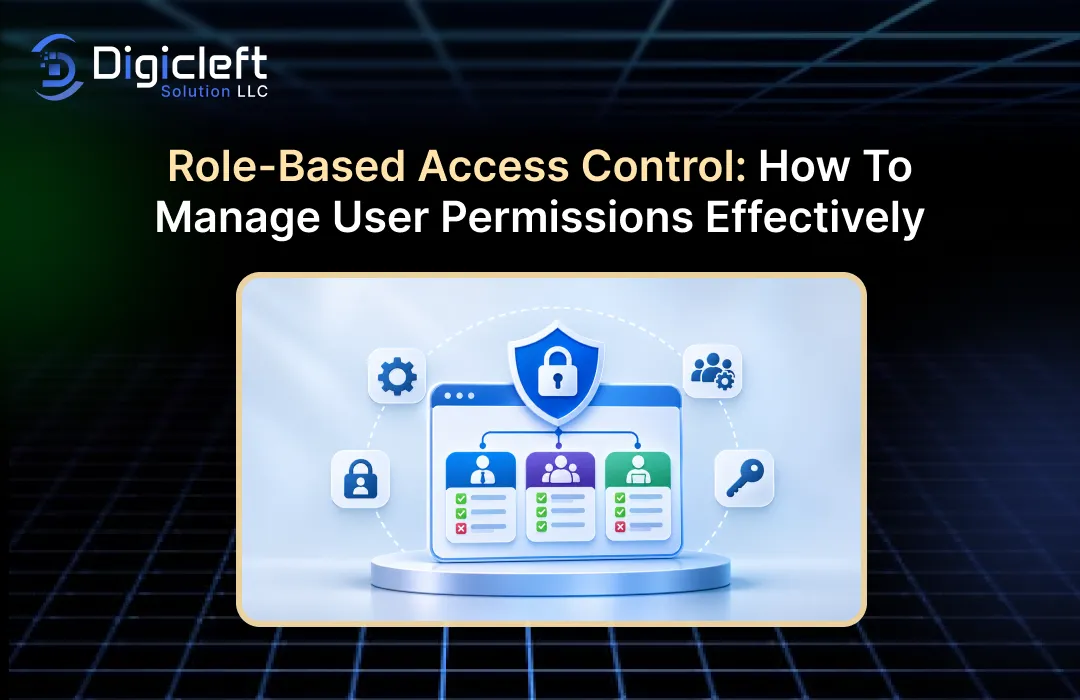
What is role Based Access Control (Rbac)?
Consider how your employees in the business are going to interact with your software and digital systems: The finance team will require data and reports concerning invoices, payments, and finance reports; the marketing team will require data concerning campaigns, website information and customers; the developers will require data concerning applications, technical resources and home directories: Do every employees need access to those areas? No.
Opening up the access to everyone might seem like the easiest route to take to begin with but it introduces all sorts of security concerns. You should be using RBAC. With RBAC, you can delegate access to your platform according to the job role of each individual employee, rather than managing everyone independently.
RBAC is also useful for organizations with high dependence on web apps, cloud services, CRM apps, and internal business apps. Instead of figuring out exactly what each employee is able to do and then imposing access rights on them, access is granted by defining a set of roles within the system and then placing users into these roles. Roles are much easier to define, manage and maintain, than attempting to adjust to each user’s individual requirements.
The role-based access control model associates permission to perform operations on resources with roles rather than with individual users. That’s how you keep your access policies.
What Is RBAC?
RBAC is a model of access control that controls access to objects according to role. The access that a user can see, change, create or delete is a function of the role assigned to them.
For example think about a shopping site with some staff. You might have an admin who needs access to the system, a customer service staff member who can view the customers’ orders and resolve complaints, a warehouse worker who only needs access to stock and order fulfilment.
The authorisation you are given is proportionate to your role.
It’s a pretty simple principle actually: Give people access to what they need to do their jobs and nothing else.
Reduces access and significantly simplifies the task of administrators to control permissions throughout organisation.
How Does RBAC Work?
RBAC interacts through three components: users, roles, and permissions.
A user is the who logs into the system. A role is what the job function/role that that user has and the permissions define what that role can do.
A sample content management system might include the following roles:
| User Role | Permissions |
|---|---|
| Administrator | Manage users, settings, content, and reporting. |
| Editor | Create, edit, review, and publish content. |
| Author | Write and revise assigned articles. |
| Viewer | View published content and reports. |
When an employee becomes part of the organisation, the admin will then allocate them a role. The employee will then automatically be given that role’s permissions.
The admin can change the employee’s role if they switch department and those permissions are then automatically updated.
This is exactly why RBAC is incredibly suitable for a business that is expanding.
What are the benefits of RBAC to a business?
As your company grows, managing access becomes more complex. It is this ongoing proliferation of staff, teams, apps and external users that makes failures and errors worse over time.
Managing access improperly will mean that you give your people access to sensitive documents, customer data, financial info and admin controls if you don’t have an access management plan.
RBAC offers a solution to these problems, as well as assisting organisations in defining department boundaries and areas of responsibility.
Enhanced Data Protection
Enhanced information security is a benefit of RBAC.
Not all employees require access to all business assets. A sales representative will want to have customer contact information, but there is no earthly reason why that sales representative should have access to employee salary information. The accountant, for instance, might want access to the records, but there is no justification for having access to application configuration information.
When limiting access to businesses for reasons of responsibility this will cut down the total amount of accounts to access the information.
This is consistent with the privileges principle where users are given only the access they require to do their job.
OWASP Authorization Cheat Sheet Guides you to apply least privilege and to deny by default, meaning without an explicit permission granted+1
Enhanced Efficiency and Responsibility
Safety is everything Access control should never make it harder to get work done on a regular basis.
Picture an employee who has to get admin approval for everything they want to do. That would be an enormous productivity killer, creating delays and a lot of extra work.
This stops them from happening through pre-assigning permissions. Employees can be granted access to the tools they require without being assigned the permissions.
It also increases accountability. Roles and permissions set out clearly who did what.
For example, if only finance managers are authorised to approve transactions then the organisation can easily see who is authorised to perform this task.
Key Elements of an RBAC System
But before you go about setting up role based access control it’s important to grasp the piece that makes all of this actually happen.
Regardless of the industry or the solution, all RBAC implementations ultimately follow the same rules: there are always users, roles, permissions, role assignments and access rules.
Users, Roles and Permissions
The three elements are the foundation of RBAC.
User: user are people, or accounts, that login to the application. A user may be an employee, manager, admin, contractor, or other person that has been given access.
Roles are functions within an organisation. Examples include an administrator, manager, editor, developer, accountant and customer support rep.
Authorizations: these indicate the type of activities the users are allowed to do. For instance, they may include viewing records, editing data, deleting documents, authorizing transactions and managing accounts.
Of course a good system is going to connect those pieces in a sensible fashion.
A project management tool might give the project manager permissions to create projects, add tasks, adjust deadlines and view progress. The members of the team might only have permission to update their own tasks and view project information.
This makes access tidier and reduces the need to take care of permissions.
Hierarchies and Segregation of Duties
Certain roles within some organisations are more or less powerful than others. Role hierarchies can help to support this.
For example, a department manager might have the same permissions that the normal department staff has, and also additional permissions to approve requests and to review reports.
What role inheritance doesn’t mean is that you should leave everything to an employee in the “higher” role. You still need to plan.
Different Types of Role-Based Access Control
RBAC is not one size fits all. There are different models to choose from that are suitable for a range of organisational requirements.
Knowing the distinctions can assist a business to choose an access management model that is right for their applications and their security needs.
Core RBAC
Core RBAC is that it is the users, roles and permissions.
Admins assign a user to roles. Then attach permissions to the roles. And that user will get that permission as the role it is attached to that user.
This model works very well in applications and in companies, which are less complex structures.
For instance a small business may need four roles: administrator, manager, employee and viewer.
Because the company is not required to establish individual permissions for every employee they also have to utilize these predefined categories.
Hierarchical and Constrained RBAC
Hierarchical RBAC adds a hierarchy of roles. In other words, some roles can inherit permissions from other roles, which can help make the management of permissions a lot more flexible.
A department manager may for example combine the same permission as a department employee, then add additional permissions on top of that at a management level.
Constrained RBAC – Constraints are added that prohibit some combinations of permissions from being assigned or activated.
This is helpful in a situation where duties need to be segregated.
This framework outlines the core RBAC, RBAC and separation of duty features of the NIST RBAC model.
How to Implement RBAC
RBAC implementation involves more than just grouping users into basic categories and assigning permissions to those groups. Companies will need to establish their workflows, determine the resources they need, and define the right people to access them.
An implemented plan can have unintended effects which itself poses the security concerns the plan was meant to address.
Here is a practical approach.
Identify Business Roles and Responsibilities
Begin by learning how people really operate in your organization.
Departments, job functions and responsibilities that need to have access to your software. Talk to department managers and employees about the tools and resources they typically access.
For example an ecommerce business might need roles for:
- System administrators
- Store managers
- Inventory managers
- Customer support representatives
- Marketing specialists
- Finance employees
- Content editors
Try to avoid making a separate role for each employee. Instead, arrange them into logical groups.
Don’t forget about what employees, external contractors and third party service providers will need to access, which may be different from the employee.
Define Permissions and Apply Least Privilege
Once the roles have been defined, then determine what each of these roles are permitted to do.
Begin by identifying the resources in your application. This can include customer records, employee records, financial information, products, internal files and admin settings.
Then you may have to, “define the actions related to each resource.
| Resource | Available Permissions |
|---|---|
| Customer records | View, edit, export, and delete. |
| Financial reports | View, generate, and approve. |
| Website content | Create, edit, publish, and delete. |
| User accounts | View, create, update, and deactivate. |
| Inventory | View, update, and manage. |
Next associate the needed permissions to the roles.
Be extremely cautious in giving permission just to make admin easier. For example, a user who needs access to customer records does not need to be able to export or delete them.
Begin with the permissions, and only expand the access if there is an extremely compelling business need.
Assign, Test and Review User Access
Then you need to add the users to the roles.
However don’t jump to the conclusion that the config will work just because you have the correct permissions on paper.
Test system as users. Verify that users perform their individual roles and that their actions are correctly impeded.
Eg. Try to login as an editor account. Try to visit the admin section. The system should restrict you even if you already know the url.
Try the small stuff too: expired sessions, disabled accounts, trying to access another employee’s record.
When system goes live implement an access review process. Employees change departments, new duties and eventually leave the organisation. Their access needs to be kept up to date.
Validate authorization on each request and automate tests that will highlight permission problems when the app is next updated.
Frequently made RBAC errors that businesses need to prevent
Unfortunately, a carefully designed access control system is pointless if the business doesn’t maintain it properly. The issues that ensue tend to be very insidious. A staff member might be provided with access to perform a one off task. A contractor might be left with access after a project was completed. An admin might create a new role where there was an existing one that could have been used.
Eventually these small decisions can add up to a permission structure that’s not even known by anybody.
Not making those mistakes is equally as important as choosing the right RBAC model. Permissions management should be seen as a job and not a one off task.
Multiple Roles and Too Much Permission
Too many roles. This is one of the most common mistakes.
For example a company might decided to create a role for every employee, even if many of them are doing the same job. This defeats one of the advantages of RBAC, as the admins are still left having to have a large number of permissions set up.
One more concern is the issuance of way too numerous privileges. Often, admins will give out obtain in get to steer clear of acquiring to keep on currently being on their keep track of asking for them. It may perhaps get the job done in the small business of the moment, but it exposes you.
What we should do is to have the roles very strictly defined and related to real responsibilities in the business.
Prior to creating a role verify if a current role can satisfy the requirement. If additional privileges are necessary then record the reason for this and obtain the necessary approval.
Skipping Over Employee Changes and Access Reviews
For the employee, they don’t normally stay the same. The employee can shift from sales to marketing, get promoted or even leave the company in question.
If their prior authorizations are not currently up-to-date the company may have accounts that have access to information they no longer need.
This is sometimes called permission stacking and can sometimes make managing access just a tad more complex.
Any permission changes made on employment or job role should be documented.
For departing employees you should disable account quickly, terminate active sessions and review related access credentials.
Contractors and the temp. Whenever you can their authorisations should be time limited.
RBAC Best Practices for Modern Web Applications
Applications will always encompass a variety of user types, cloud services, APIs and many more interconnected business applications. Navigating access to all of these various environments is one which requires a security approach.
RBAC gives the foundation; but needs to be used in conjunction with other security controls.
Integrating RBAC With Additional Security Measures
However RBAC only governs what the authorized user can do. It does not verify the identity of the user independently.
So that’s why companies should be combining access control with authentication.
Take multi-factor authentication (MFA) – this provides an extra level of assurance for when a user logs in and is especially relevant for admins and staff that use information.
Another way to integrate RBAC with attribute based access control (ABAC) is when you want to make more detailed choices.
Where RBAC is focused on the roles that are assigned ABAC considers attributes like department, device, location, resource sensitivity and timestamp of access.
Consider a particular employee who normally has the right to view reports. The organisation could then add a condition that a report could only be viewed if the user was logged on from an approved device.
This gives more freedom compared to just using roles.
Other useful security measures include:
- Two factor authentication: offers additional protection in case you have your login details stolen.
- Session management: Sessions can be terminated when access is revoked.
- Encryption: guards the data during storage as well as transmission.
- Audit logging: records major events involving access or permissions.
- Network security: enables to limit access to critical business resources.
CISA and NSA also helps us to remember that privilege and access should be limited to only those resources needed to provide the appropriate business function.
Monitoring, Auditing and Maintaining Permissions
An RBAC implementation should not be left to fend for itself once it has been installed.
Businesses have to be able to monitor permissions usage and recognise access patterns. For example if an employee suddenly begins to access settings or is trying to download a high volume of sensitive data they would definitely need to be investigated.
Audit logs can give the admin information such as: who accessed a resource, what action was performed and when.
Reviews are equally necessary. For some organisations, a quarterly review may be absolutely appropriate, and others, which have sensitive data, will need more often than that.
On an access review, administrators should:
- Determine which users have permission to use the resources.
- Ensure their roles still seem suitable to them.
- Remove outdated permissions.
- Review. Privileged accounts very carefully.
- Record what has been altered and activity of irregular access.
You should also test your authorisation when implementing new features. Your site probably has authorisation for the pages you already have, but when you add a new API end-point it’s very likely you’re going to end up leaking information if you don’t have the same authorisation in place.
OWASP advocate for authorisation practices, deny by default, access logging and authorisation testing at every phase of the application development.
Drafting an Enhanced Access Management Strategy
Administrating users’ right isn’t a technical action at all. It’s indeed a part of the business information protection, accountability and daily running of the business.
Role Based Access Control (RBAC) is an extremely useful form of controlling access for a company. Instead of granting access to individuals, create roles, assign the corresponding permissions to those roles, and then apply it as the business expands.
Everything has to be planned if you want to get RBAC right. You need to study your processes, never give users too many permissions, implement the principle of least privilege, and audit user access frequently. RBAC should be integrated with authentication, auditing, monitoring, audit logging, and other methods in order to provide full-spectrum coverage.
This will also matter most when you are creating websites and business apps. An application that is highly secured will always give you the experience without even letting you access any of the critical functions or information.
VPS hosting Digicleft Solutions LLC understands that for organizations looking to boost their web presence combining usability, function and security is key. So How to Create: Engaging and Intuitive Websites for Maximum Impact’s purpose is not only to create a website but also a great digital user experience that aligns with your company’s vision with a high level of security.
When developing a customer portal or ecommerce site or custom business application, access management can really help. Begin with roles, define the minimum rights and review and expand them as your business scales.
Frequently Asked Questions (FAQs)
1. What is Role Based Access Control (RBAC)?
Role Based Access Control (RBAC) is a model where access is based on a user’s role within the organisation. Instead of assigning individual permissions to each user, the administrator creates roles (such as administrator, manager, editor, or employee) and assigns the relevant permissions to each role.
2. What are the key advantages of RBAC?
The primary advantages are improved data security, simplified permission management, increased accountability, reduced administrative workload, and better enforcement of security policies. RBAC also helps businesses implement the principle of least privilege, ensuring users only have access to the resources they need.
3. What is the difference between RBAC and ABAC?
RBAC grants permissions according to predefined roles, such as manager or administrator. ABAC determines access based on attributes of the user, resource, requested action, and environment. RBAC is generally easier for businesses to manage, while ABAC offers greater flexibility when more complex access conditions are required.
4. How often should businesses review user permissions?
Businesses should review user permissions regularly based on their security requirements and the sensitivity of their data. For example, a review every three months may be appropriate. If an employee changes roles, leaves the business, or no longer needs specific permissions, those permissions should be withdrawn.
5. Can small companies and startups use RBAC?
Absolutely. A small business might start with just four roles: administrator, manager, employee, and viewer. As the business grows, it can expand these roles and introduce additional access rules without having to rebuild the system from scratch.