
You site can be beautifully designed, it can hold all the right information, but are the people coming to your website actually doing the things you want them to do? Buying? Completing your enquiry forms? Booking an appointment? Signing up for the service you provide?
These are concerns that apply to all website owners. The easy part is bringing traffic. The tricky part is converting a “visitor” into a customer.
A/B testing is done on websites to address this problem. Instead of blindly going ahead and making major changes to a website based on what you think your visitors want to see, A/B testing gives you the option of testing it out before rolling out changes.
For example, a small modification to your headline, a button colour, product image or checkout process can dramatically affect how your visitors respond to your website. You can’t make an assumption that this change will lead to increased conversions. A/B testing is the only way to understand what really does work with your audience.
In this guide, we will cover everything you need to know about A/B testing; from how it works to what elements of your website should be tested and how you should interpret the results. We’ll also discuss how A/B testing can benefit your business by increasing conversions and providing a better online experience.
1. What is A/B testing? Why does it matter?
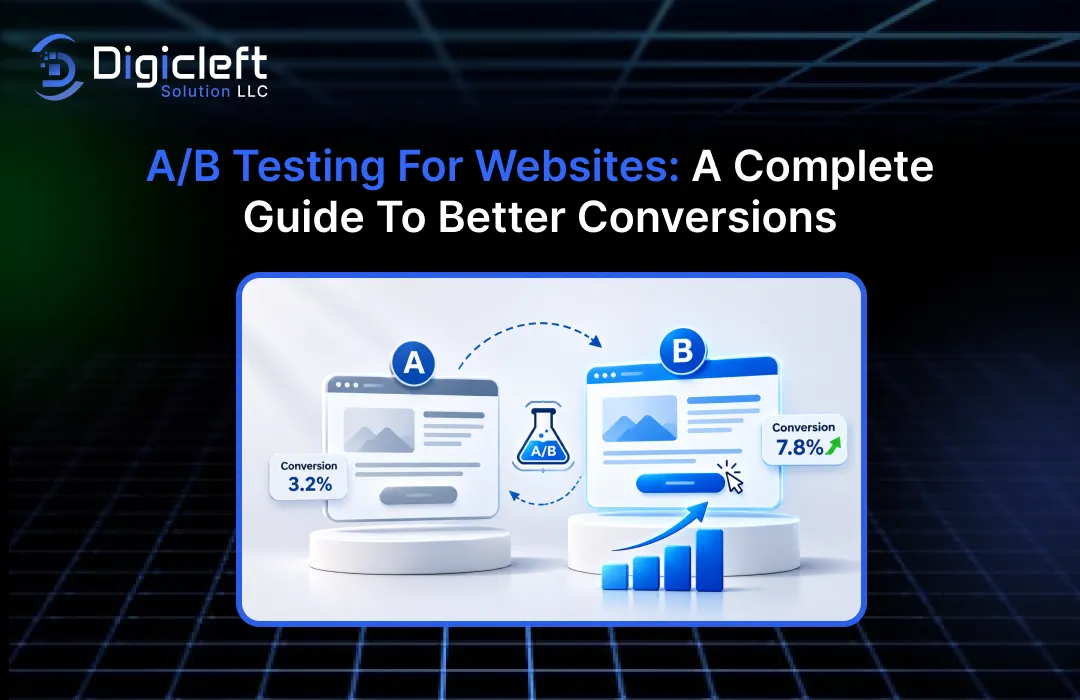
A/B testing is a method of comparing two versions of a web page (or a web page element) against each other to determine which one performs better.
A or the control. The variation is referred to as Version B. The two experiences are randomly assigned to the visitors, and then their behaviour is measured to see which experience results in the desired outcome (this is A/B testing).
Say you own a shop that sells skincare You have a product page that’s getting some good visits but your conversion rate is poor and only a few people are clicking the Add to Cart button. You think the Add to Cart button may not be very eye-catching.
You edit the whole page and create a second page with a slightly larger button and a slightly different copy. Half the users will see the original page and half the new page. You then gather the data and compare the behaviour.
This way, we can answer the following question: will the new button increase the number of people that added products to their cart?
The most significant advantage is that these decisions are made less on taste. Your marketing team can argue that one design is better than another, the developers can have an entirely different opinion. A/B testing is the evidence that you can use to make a decision.
For you this is vital as even a small adjustment to your website paths can impact the conversion from leads to sales.
2. How A/B Testing is Done
The idea is straightforward. You have a page you’re currently using, create a variation of the page, and then divide your qualifying visitors evenly between the two experiences to see how each converts.
Getting a good test involves more than simply exposing two different versions to different sets of users. You need objective, dependable tracking, a ready-made audience and enough data to draw a conclusion.
Control Version vs. Variation
The control is the page or element that serves as the baseline. The variation is the one that has the change you are testing.
Think about a business website that has a page for submitting a service enquiry The page is titled “Contact Our Team”. You want to know if this piece of copy will actually generate enquirees.
You could compare these two versions:
| Website Element | Version A (Control) | Version B (Variation) |
|---|---|---|
| Headline | Contact Our Team | Let’s Discuss Your Project |
| CTA button | Submit | Request a Free Consultation |
| Button placement | Below the form | Over the form |
| Form length | Eight fields | Five fields |
For the sake of an experiment it’s best to test one main change at a time. If you’re changing the headline, and the button copy, and the button spot, and the length of the form all at once you’re going to have a bit of trouble figuring out what actually increased conversions.
Once the experiment has been properly set up, then visitors move to the versions and the target conversions selected are tracked. Once the experiment has been completed for the duration and enough samples have been gathered you can then compare the results.
One variation that receives the clicks isn’t automatically the winner. Then you need to track that the clicks convert into actions (makes completed enquiries, transactions etc).
3. Why A/B Testing Is Important, for Website Conversions
Getting thousands of visitors to the website. 3. You aren’t achieving the business outcomes you would expect. Perhaps it’s not the number of visitors coming to the site but more likely that your messaging, design, call to action or even the customer journey itself are the root causes.
A/B testing is how we approach those issues of messing with something at random.
Conversion rate is one of the big advantages of A/B testing. If the visitor understands your offer and can see and access the next step then they’re more likely to take it – whether that be completing a purchase (e-commerce business), registering for a trial (software business) or whatever other action you want them to take.
A/B testing can be used is to increase the value from the traffic that comes to your site. You may not have to buy advertising in order to increase performance. Often the first thing that can be done is to increase the user experience of people who are already on the site.
The other thing that you get to know about when you do A/B testing is the customer. A headline which sounds convincing to your marketing team might turn out to be the one which failed to explain what value that customer is looking for. With A/B testing on your message, you can know what benefits or what language or what offer is going to work best with your audiences.
A/B testing is that it minimizes the risk involved with making a change to your website. You don’t have to go in and do a complete overhaul of your site and launch it assuming people will like it.
These experiments in time accumulate knowledge about the customer. Even a test that ‘fails’ can tell you something about the customer and can be useful in guiding the next iteration.
4. Website Elements You Should A/B Test
You don’t have to test every corner of your site at the same time. A more effective approach is to understand where people are pausing, leaving or not doing the thing you want them to do.
Begin with pages that are directly to the business (Landing pages, product pages, pricing pages, registration pages, checkout pages).
Headlines, CTA’s, Images, Forms & Navigation
The headline – generally it’s the thing that the visitor will be reading first. This needs to provide a little of information about the business, but convince the reader why should they care. It might be worth doing a benefit led headline verses a simple description of your service to see which one works best.
Calls to action buttons: CTA buttons are what cause the visitor to do something. Experiment with the copy, position, size and appearance. “Get Started” or “Start your free trial” are two completely different calls to action and one will resonate with your target audience much more than the other.
Images and video: visual content can be a dominant factor for whether a visitor makes a decision about a product or service. An e-commerce site may be comparing lifestyle product photography against a product focused image. A service company may be comparing a team photo to an icon showing how they work.
Online forms: Extended forms may cause friction, especially on mobile devices. Try shorter forms, using clear labels, more helpful validation or a different layout. Don’t forget to measure lead quality as well as volume.
Navigation and page layouts Visitors should be able to easily access information. Test menu structures, how product categories are laid out, whether the navigation labels make sense and how information is positioned on the page.
One approach would be to start with your website data, feedback and recordings and heat maps. These will point to pain points and give clues as to where to start.
5. Types of A/B Test
A/B testing is one part of a larger process. Your chosen methodology will differ based on the amount of website traffic, the resources at your disposal and your personal testing goals.
| Testing Method | How it operates | Suitable use case |
|---|---|---|
| A/B testing | Tests two variations of a page or element | Headlines, CTAs, layout |
| Split URL | Directs visitors to different page URLs | Significant changes to the landing page |
| Multivariate testing | Tests combination of elements | High-traffic websites |
| Redirect testing | Comparing individual page experiences | Examining different page variations |
| Server-side testing | Provides variations by means of logic | Advanced experiences and customizable experiences |
The most simple place to start for A/B testing really is. For a change you are looking at a single and focusing on that.
Multivariate testing is a lot more complicated since you’re testing combinations of changes that could be a lot more. For example you could be testing three headlines in combination with two CTA designs that makes six combinations so you’d need a lot more traffic to be able to say which one is a winner.
Split URL testing works well when the other experience looks totally different – a different page design. Instead of testing a few things on the same page, you’re testing two URLs.
The method that will be best is, of course, determined by the question you are seeking an answer to.
The tiny business website can achieve outcomes by fairly simple experiments whereas a large e-commerce website might have a need for a far more advanced experimentation functionality.
6. How to Conduct an A/B Test: A Step-by-Step Guide
A/B test, not a proposed design.
You have to first of all identify what is not working and why it is an issue worth fixing.
Here’s a practical process you can follow.
Define Goals Formulate Hypotheses and Measure Outcomes
Step 1: Define the problem.
Start by looking at the website performance.
Maybe they hit your pricing page. Don’t request a quote.
Customers might put products in their cart but then leave to checkout.
Choose an issue that affects your business.
Step 2: Define a hypothesis.
A hypothesis is: an explanation of what you’re wanting to change, why you think this change will be helpful and the outcome you will be measuring.
For example:
“We are confident that replacing the CTA with a specific consultation offer will convert more visitors into enquiry forms as they will be much more conscious of what occurs once they click.”
This gives your experiment a direction.
Step 3: Select the element to test.
Make a version that speaks to your hypothesis directly.
There’s no need to make any changes as that could be making the results rather harder to interpret.
Step 7: Run the test and monitor technical performance.
Let the experiment collect data according to its planned duration and statistical method. Monitor broken elements, tracking problems, unusual traffic patterns, and performance issues. Avoid stopping simply because one version temporarily appears ahead.
Step 4: Choose your primary conversion metric.
Determine success before you begin the test.
If your goal is lead generation, then people completing a qualified inquiry may be more valuable than a click of a button.
Use metrics to see how your visitor behaviour is shifting.
Step 5: Estimate the required sample size.
The visitor count you need will rely on your presently calculated conversion rate, the amount you expect to detect an improvement by, the power, and the significance threshold.
You might find a small site requires some extra testing to get a good amount of relevant data.
Don’t assume that a test of a dozen visitors will give you any sort of valid answer.
Step 6: Configure and test the experiment.
Make sure visitors are properly tagged, both versions are visible on both desktop and mobile screens, and the conversions are being tracked properly.
Measure the user journey (forms, checkout buttons, confirmation pages and analytics).
Keep tabs on the technical performance.
A/B test. Just trust the A/B test duration and get the data as calculated by the statistical method.
Monitor the elements, keep a check on the problems, take note of strange traffic patterns & performance issues.
Don’t just quit because one model is slightly ahead.
Step 8: Analyse the findings. Take action.
Compare the metric, the magnitude of the disparity between the statistical uncertainty and the guardrail metrics.
If the variation results in an improvement and is supported by strong evidence, then go ahead and implement it.
If the results are ambiguous then re-evaluate the hypothesis. Consider whether it is worthwhile to carry out another experiment.
Finally document what happened.
A test programme takes on more value when the business takes learning from what worked as well as what failed.
7. Key Performance Indicators
It is equally important to select the metrics.
You can drive clicks to a site without bringing any additional revenue, so your measurement plan should align to the real goal.
Here are some useful indicators:
| Metric | What It Measures | Why It Matters |
|---|---|---|
| Conversion rate | Percentage of visitors who complete a goal | Reflects the result |
| Elements Click-Through Rate (CTR) | Clicks versus total visitors to an element | How many visitors click on a specific element? |
| Bounce or engagement metrics | User interaction on a page | Useful in finding usability problems |
| Cart abandonment rate | % of shopping carts abandoned | Showcases checkout pain points |
| Revenue per visitor | Revenue earned for each visitor | Links testing to bottom line business value |
| Form completion rate | The percentage of visitors who completed a form | Indicates lead-generation success |
| Average order value | Revenue per completed order | Assists in assessing the quality of orders. |
For example, assume Page A version gets more product page clicks while B version gets more completed sales.
If you’re looking to increase revenue, the second version could be the more valuable of the two.
Familiar with importance and precision.
Statistical significance is a good way to decide if a difference agrees with an effect (is consistent with our model).
But it doesn’t tell you whether it’s a big enough improvement to matter.
The second fundamental notion is the detectable effect, MDE.
This is the variation you can be sure to see, in the presence of your experiment.
Set it before testing so you can figure out if an experiment is possible based on your traffic.
8. Mistakes to Avoid When Performing A/B Testing
Even for companies using a bit of analytics software, mistakes can still be made when conducting experiments. The key issue is that they jump to conclusions without having a grasp of what the experimentation process entailed.
Another very frequent error is to experiment with hundreds of changes. When you’re revamping a page you could easily change the pictures, rewrite the headline, change the CTA, and find a performance change, but not be able to tell what was actually responsible. Keep your experiments as narrow as possible.
The last problem, is when you’re testing and you quit it early. A certain version may appear to be improving after hours but the early blips on the test may not be indicative of a real result. This is another reason to pre-define your approach to the test, when you will terminate it, etc.
Bad tracking can be just as bad. What if the original page is tracking all completed purchases perfectly and the variation only includes a subset of the conversions? The report you generate is going to be inaccurate no matter how intelligent the testing platform.
It’s important not to get too caught up in clicks. More clicks is not a good thing if nothing is bought with them. There are of course other actions that are also relevant.
Other errors are testing the users, abandoning the site for mobile users, overlapping experiments without having an understanding of how they are relevant and updating the website mid-action during a live test.
Don’t abandon every experiment as a waste of time. If a test variation doesn’t increase conversions you still gain knowledge from the experiment. It could have been that you were mistaken with your hypothesis, or it could be the problem isn’t in that part of the customer journey.
9. Best A/B Testing Tools for Websites
There is no need to implement a custom experiment framework. Several third-party tools exist that provide you with the functionality of creating variations, deploying visitors to variations, measuring conversion rates, and analysing your experiment’s results.
1. VWO
Website experimentation (A/B testing, split URL testing, targeting, reporting) and the ability to attach insights, such as heatmaps and session recordings, to test results. VWO can be a handy tool for companies who want to mix experimentation and UX insight.
2. Optimizely
Experiments for websites and digital products and platforms from Optimizely. Worth considering if your organisation is looking for a more advanced set of testing workflows, personalisation capabilities, and the ability to experiment on various digital experiences.
3. AB Tasty
AB Tasty is a platform that offers experimentation and personalisation products for brands who want to test website experiences and optimise the customer journey. AB Tasty’s platform can be leveraged by product and marketing teams to run conversion optimisation campaigns.
4. Convert
Experimentation: Convert includes the experimentation for sites (A/B tests etc). You might want to consider this if you’re a team after an experimentation platform and some control over how your tests are configured.
5. Growth Book
Another alternative for engineering teams seeking feature experimentation and the analytics that go along with it is Growth Book. Growth Book’s methodology appeals to an organisation which wants a little technical control as to how experiments are actually set up and delivered.
The appropriate tool will relate to site platform, the technical demands, the traffic volumes, spending plan, reporting requirements as well as the team’s experience.
Here’s an important bit of news for anyone in the market for Google Optimize: Google have officially ended Google Optimize and Optimize 360 since 30 September 2023. Google recommends third-party integrations, such as VWO, Optimizely and AB Tasty, as a substitute for experimentation with Google Analytics.
The Google Optimize sunset announcement can be reviewed before selecting a replacement.
Avoid choosing a tool based on a feature list. A straightforward platform that a business can use every day will be more valuable than a very costly solution with a whole host of features that a business will never actually use.
10. How A/B Testing Drives User Experience and Business Growth
A/B testing isn’t about increasing clicks or raising conversion on one element alone. Used correctly, it’s a way of understanding how visitors experience your site and where your site could be better.
Imagine someone coming to the website to get a sense of how it might be able to help them. They want to understand what the company really does, if the offerings are relevant to them and how exactly to proceed. If the site is difficult to navigate, ambiguous in its messaging or full of unnecessary roadblocks than the viewer is probably not going to stick around long enough to see the value in anything the site has to offer.
This is what testing is for. Maybe you discover that a cleaner, easier-to-comprehend headline on your homepage transforms the service, or that putting your customer testimonials nearer to the CTA actually impacts how confident a visitor is.
Tests can be deployed for e-commerce businesses to better optimise product discoverability, product description, filtering, the cart experience, and the checkout process. Tests can be implemented for service businesses to better optimise their landing pages, enquiry forms, appointment booking, and consultation requests.
This is also where the professional web design services also play a part. A good site is more than its appearance. It needs to be good design, include good navigation, be layout that works across devices, containing useful content and it has to work perfectly.
Any business looking to design a truly user-centric website and want to maximize its potential should conduct user research and continue running tests during the course of website development. Treat your website not as a completion, but as a digital experience you can change as you learn more about your visitors.
At Digicleft Solution organisations can explore website design and development choices that combine usability, performance and business goals. A planned website coupled with a well-defined A/B testing plan will enable organisations to discover ways to enhance engagement and achieve improved conversion rates.
The long term value lies in making learning a habit. Each experiment represents another chance to learn more about customer expectations, to sharpen the experience and to make more confident decisions.
Conclusion
A/B testing on your website is a method of making your business more data-driven rather than assumption-driven. By serving up multiple variations of your website you can test one element against your existing version (message, offer, layout, user experience etc) and compare results.
It really doesn’t need to be hard. Begin with a problem, create a specific hypothesis, select a relevant metric, and execute a good test. Be rigorous about the data, ensure you don’t prematurely end tests and consider what the outcomes might mean for the broader customer experience.
Remember, you don’t have to increase your conversion rate in order to be successful. More qualified leads, completed sales, great user experience and enhanced customer journeys are just as valuable.
Your site doesn’t have to be redesigned from scratch for you to improve it. There is almost certainly a quick, tried and tested tweak that hits the bullseye for your customers. Keep testing, learn from the outcomes, and use this to construct a site that works better for you and your customers.
FAQs (Frequently Asked Questions)
1. What is A/B testing on a website?
A/B testing involves comparing two versions of an entire page or web element to determine which one is most effective in encouraging a visitor to take a specific action. It can be used to test a variety of different things such as headlines, images, calls to action, buttons, forms and more.
2. How long do you run an A/B test for?
Deciding on the right length of time for your test. There is no standard duration for an test. The right period for your website will depend on the number of visitors, conversion rate, how much improvement you anticipate, the number of samples you require, and how your visitors behave. For an effective test you will need to have decided in advance, and collected adequate data, before acting.
3. What website elements should I test first?
Begin with the elements that affect your business most – first up are the headlines, call to action buttons, landing page design and content, product descriptions, checkout, and all the different lead capture forms. These are the pages that analytics or customer feedback have flagged as an issue.
4. Does A/B testing make sense for small businesses?
Yes, you can use A/B tests for landing pages, lead gen forms, service pages and product pages. If your site receives very little traffic it may be difficult to get meaningful results in a reasonable amount of time. A/B testing small site sections is recommended.
5. Can A/B testing guarantee website conversions?
No. A/B testing won’t give you results every time as every audience and website is unique. Some tests will be better, some won’t make a difference at all and some might actually prove the original to be a better version. But this is where the value lies – in the learning you will get from actual visitor behavior. It’s about being smarter with your website decisions.