Introduction to Headless CMS
Let’s be honest content management isn’t what it used to be. Websites are no longer just websites. They’re apps, kiosks, smartwatches, voice assistants, and things we haven’t even imagined yet. That’s where headless CMS comes into play.
What Is a Headless CMS?
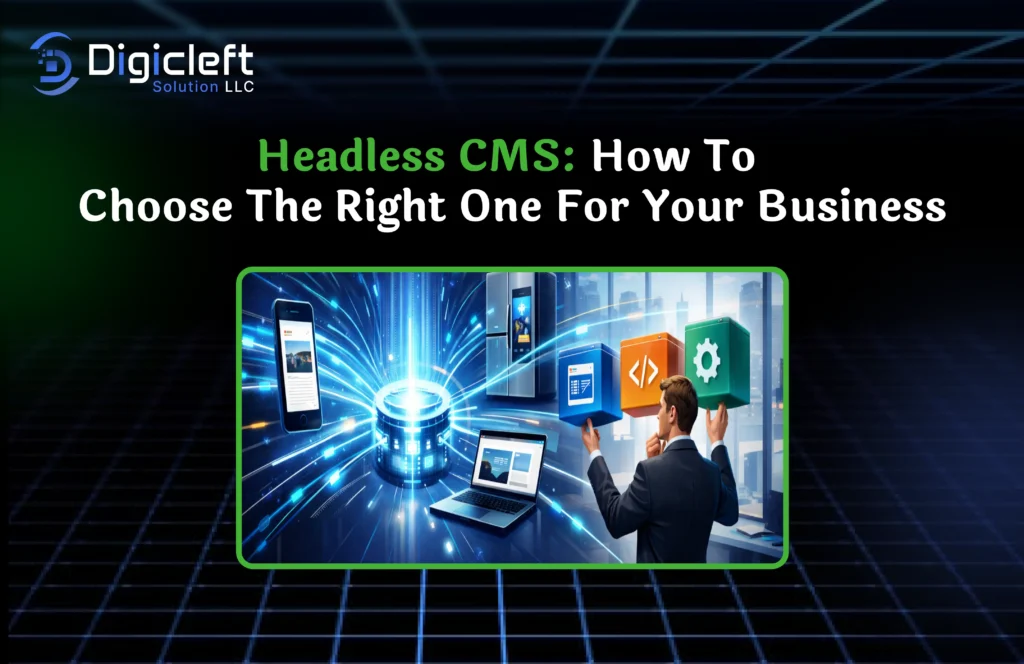
A headless CMS is a content management system that separates the “body” (content) from the “head” (presentation layer). Instead of locking your content into one front-end design, it delivers content via APIs to any platform you want. Think of it like a power strip you plug in multiple devices without rewiring the house.
Why Headless CMS Is Gaining Popularity
Businesses want speed, flexibility, and control. Headless CMS checks all three boxes. It allows teams to publish content once and distribute it everywhere. No duplication. No mess. Just clean, efficient delivery.
Traditional CMS vs Headless CMS
Key Differences Explained
Traditional CMS platforms bundle content and presentation together. Headless CMS breaks them apart. One is like a Swiss Army knife the other is a modular toolkit where you choose only what you need.
Pros and Cons of Each Approach
Traditional CMS is easy to set up and great for simple websites. Headless CMS offers scalability, performance, and omnichannel support but it requires more technical involvement.
When Traditional CMS Still Makes Sense
If you’re running a small blog or brochure site with minimal growth plans, traditional CMS can still do the job just fine.
Why Businesses Are Moving to Headless CMS
Omnichannel Content Delivery
Your audience is everywhere. Websites, mobile apps, smart TVs you name it. Headless CMS lets you reach them all without rewriting content every time.
Faster Performance and Scalability
Because the front end is independent, developers can optimize performance without touching the content layer. Faster load times mean happier users and better SEO.
Developer Freedom and Flexibility
Developers love headless CMS because they can use modern frameworks and tools without restrictions. Creativity thrives when constraints disappear.
Key Benefits of Using a Headless CMS
Improved Content Reusability
Create once, publish everywhere. It’s like meal prepping for your digital content efficient and smart.
Better Security
No direct connection between the CMS and front end reduces attack surfaces. Fewer doors mean fewer break-ins.
Future-Proof Architecture
New devices? New platforms? No problem. Headless CMS adapts without major overhauls.
Common Challenges of Headless CMS
Higher Initial Setup Complexity
Yes, there’s a learning curve. But like riding a bike, once you get it, you’re good for the long haul.
Need for Technical Expertise
You’ll need developers or a reliable partner like digicleft solution to unlock the full potential.
Content Preview Limitations
Some headless CMS platforms make previews tricky. Thankfully, modern tools are closing this gap fast.
Understanding Your Business Needs
Business Size and Growth Goals
Are you scaling fast or just getting started? Your CMS should grow with you, not hold you back.
Content Complexity
Simple blogs need simple tools. Enterprise content ecosystems need robust solutions.
Budget and Resources
Headless CMS isn’t always cheaper upfront but it often pays off long-term.
Must-Have Features in a Headless CMS
API-First Architecture
APIs are the backbone. REST or GraphQL choose what fits your stack.
Content Modeling
Flexible content structures help you adapt without rebuilding everything.
Role-Based Access Control
Keep editors, developers, and admins in their lanes.
Localization and Multilingual Support
Going global? Your CMS should speak every language your audience does.
Popular Headless CMS Options
Open-Source Headless CMS
Great for customization and control. Ideal for teams with strong technical skills.
SaaS-Based Headless CMS
Easy to manage, scalable, and supported. Perfect for growing businesses.
When to Choose SaaS Over Open Source
If you want less maintenance and faster deployment, SaaS is your friend.
How to Evaluate a Headless CMS
Ease of Use
Editors shouldn’t need a manual the size of a novel.
Developer Experience
Happy developers build better products simple as that.
Integration Capabilities
Your CMS should play nicely with analytics, CRM, and marketing tools.
Headless CMS and SEO
SEO Advantages
Better performance, structured content, and flexibility give you an edge.
SEO Challenges and Solutions
SEO isn’t automatic. You’ll need smart implementation but the payoff is worth it.
Security Considerations
API Security
Use authentication, rate limiting, and encryption. No shortcuts here.
Authentication and Authorization
Protect content access like you protect your data.
Performance and Scalability
Handling High Traffic
Headless CMS handles traffic spikes like a pro athlet calm and controlled.
Global Content Delivery
Combine headless CMS with CDN for lightning-fast delivery worldwide.
Cost Considerations
Licensing and Subscription Fees
Know what you’re paying for users, API calls, or content volume.
Development and Maintenance Costs
Plan ahead. Smart architecture saves money later.
Role of Agencies and Partners
When to Work with a Digital Partner
If your team is stretched thin, partners accelerate success.
How digicleft solution Can Help
digicleft solution specializes in designing, implementing, and scaling headless CMS solutions tailored to real business needs not templates.
Best Practices for Choosing the Right Headless CMS
Start Small and Scale
Test before committing. Growth should feel natural, not forced.
Involve Stakeholders Early
Editors, marketers, and developers should all have a voice.
Conclusion
Choosing the right headless CMS isn’t about trends it’s about fit. When aligned with your goals, it becomes a growth engine instead of a bottleneck. With the right strategy, tools, and partners like digicleft solution, headless CMS can transform how your business delivers content now and in the future.
FAQs
1. Is headless CMS suitable for small businesses?
Yes, especially if growth and multichannel delivery are part of the plan.
2. Does headless CMS improve SEO?
Absolutely when implemented correctly, it boosts performance and flexibility.
3. Do I need developers for headless CMS?
Yes, or a digital partner to handle setup and integrations.
4. Is headless CMS more expensive?
Upfront costs can be higher, but long-term ROI is often better.
5. Can I migrate from traditional CMS to headless CMS?
Yes, with proper planning and execution.