
What Is ERP Integration?
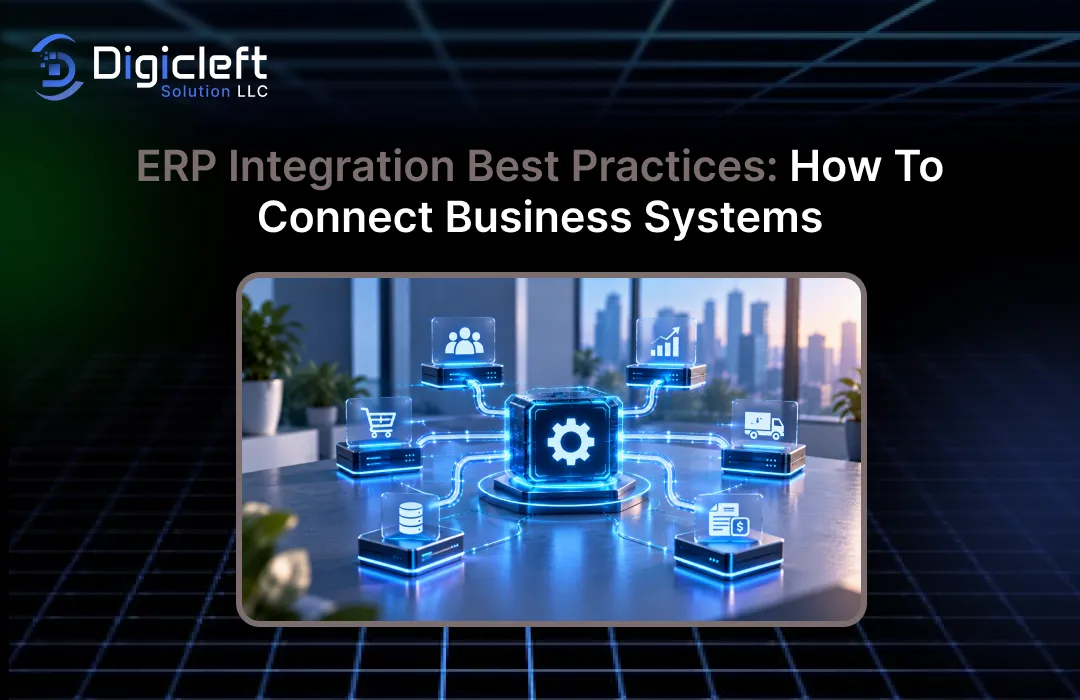
ERP integration is the method of linking an enterprise resource planning system with the various software tools a business relies on daily. These tools may include your customer relationship management (CRM) system, e-commerce store, warehouse management system, payroll platform, payment gateway, accounting software, customer service tools, and analytics dashboards.While each system can be useful in its own right, the true value comes when information flows smoothly between them without requiring constant manual steps like copying, pasting, checking, or correcting data.A well-built integration makes the ERP system part of a unified business environment, rather than a separate database.
The purpose of integration is not simply to enable communication between two applications. The main aim is to create a reliable and consistent flow of business data.For instance, when a customer places an order online, the order must reach the ERP system, the inventory must be updated, the finance team needs invoice details, the warehouse needs instructions for fulfilling the order, and the customer should receive shipment updates.If these steps depend on spreadsheets or manual entry, errors and delays can quickly occur.ERP integration best practices focus on designing these connections based on real business processes, clear ownership, accurate data, security, and long-term maintainability.
Why ERP Integration Matters for Modern Businesses
Most growing companies eventually realize that adding new software can solve one problem while creating new ones—such as scattered information. Sales might have one version of the customer record, finance another, the warehouse its own inventory numbers, and management may be looking at outdated data in a reporting system.ERP integration helps connect these isolated systems so that teams can work with synchronized and accurate information.
The benefits can be practical, not just flashy. Employees spend less time re-entering the same data into multiple applications.Orders can move through the fulfillment process faster.Finance can get transaction details without waiting for another department to send a spreadsheet.Managers can gain a clearer picture of sales, inventory, purchasing, and cash flow.However, there is an important point to remember: integration alone does not ensure good data.If inaccurate customer details or inconsistent product codes are connected, the business can spread poor-quality data more quickly.This is why integration architecture and data governance must be considered as part of the same project.
Map Business Workflows Before Connecting Systems
One of the most common mistakes is focusing on technology before looking at the actual business process. Teams often start by asking about which API to use, which connector is available, or which integration platform to choose.While these are important considerations, they come later.Instead, begin by following a real business transaction from start to finish and identify all the systems involved.
Consider a simple order-to-cash workflow. A customer places an order through an e-commerce platform.The payment service confirms the payment, the ERP system records the transaction, the warehouse receives fulfillment instructions, inventory is updated, shipping details are sent back, and finance records the appropriate accounting information.Once the workflow is clear, integration requirements become much easier to define.You can determine which data needs to move, when it should be transferred, which system should control the data, and what happens if one system is unavailable.
Identify the Systems and Data Flows
Create a list of all the applications that need to exchange data with your ERP system. Don’t limit your list to systems owned by the IT department.Include sales platforms, supplier portals, logistics tools, payment services, HR applications, spreadsheets that are still important for operations, and reporting environments.
For each connection, document the source and destination, the type of data, the direction of the flow, the frequency of data transfer, the business owner, and the level of importance. For instance, a customer address might only need to be updated periodically, while an order confirmation might need near real-time processing.This mapping process can uncover duplicate integrations, unnecessary data transfers, and hidden manual tasks before development begins.
Define Data Ownership Clearly
Every key business entity should have a clear owner. Decide which application is the official source for customers, products, pricing, inventory, suppliers, employees, invoices, and other essential records.Without this, two systems might update the same data independently, leading to conflicts that are hard to resolve.
For example, if both the CRM and the ERP system can create customer records, what happens when the information in those records doesn’t match?
A robust architecture sets up ownership and synchronization rules before developers create the connection. System-of-record decisions are both business and technical choices, so the people in charge of these processes should be involved from the start.
Choose the Most Suitable ERP Integration Method
There is no single integration method that works for all businesses. A small company connecting two cloud applications might need a simple API connection, while a large enterprise with legacy systems, high transaction volumes, and multiple departments might require an integration platform or middleware layer.Common ERP integration methods include native connectors, APIs, iPaaS platforms, middleware, and batch or file-based approaches.The best choice depends on the systems involved, required speed, data complexity, available internal skills, and maintenance expectations.
Use APIs for Controlled Application Connections
APIs are often the best choice when applications need structured, programmatic communication. An API can allow one system to request customer information, create an order, update inventory, or retrieve invoice data without giving the application direct access to the ERP database.
The important thing is not to treat an API as the entire integration strategy. You also need to handle authentication, authorization, data validation, rate-limit planning, error handling, version management, logging, and monitoring.APIs provide the entry point; the architecture determines what happens next.
Use Middleware or iPaaS When Complexity Increases
Middleware and integration-platform-as-a-service tools can be helpful when a business has many applications that need to communicate. Rather than building multiple tightly connected point-to-point connections, an integration layer can manage routing, transformation, orchestration, monitoring, and reusable connectivity.
This approach can reduce duplication in development, but it also adds another platform that requires governance and operational ownership. The key question isn’t whether an iPaaS is popular.Instead, ask if it reduces complexity for your specific environment.If you have only three applications with straightforward data flows, a large integration layer may not be needed.However, if you have many applications with different formats and workflows, central integration capabilities can be very valuable.
Design Data Mapping Before Development Begins
Two systems rarely describe information in the same way. One system might use customer_id, while another could use account_number or a completely different identifier.Product categories, tax codes, currencies, addresses, dates, units of measure, payment statuses, and order states can all create similar mapping issues.
Create a formal mapping document before starting development. Define the source field, destination field, transformation rule, required status, validation rule, default behavior, and ownership.Also document what happens if the source data is invalid or incomplete.Good mapping is not about making every field fit somewhere.It is about preserving the meaning of business data as it travels between systems.
Decide Between Real-Time and Batch Integration
Real-time integration may sound appealing because everyone wants up-to-date information. However, not all business processes require immediate updates.Forcing all data flows into a real-time architecture can increase cost and complexity without delivering real business value.
Ask how quickly the receiving system actually needs the information. A warehouse may need an order within seconds or minutes, while a historical analytics warehouse might only need a nightly data load.Supplier files may still be appropriate for certain B2B processes.A useful integration strategy combines real-time APIs, asynchronous messaging, scheduled synchronization, and batch processing, using each method where it makes the most sense.
Build Security Into the Integration Architecture
ERP systems often contain sensitive financial and operational data, so integration security should never be an afterthought. Every connection should have a clear identity, authentication method, authorization model, and access scope.Use encrypted communication and avoid exposing more ERP data than the connected application actually needs.
Credentials need careful handling. Integration accounts should have only the permissions required for their tasks, and secrets should not be hard-coded into application code.Authentication methods should be reviewed when vendors change APIs or update security policies.Security should cover the entire data path, including APIs, middleware, message queues, databases, logs, and administrative interfaces.
Design Error Handling and Recovery
Every integration will eventually face some kind of failure. A network connection may drop, an API may return an error, a required field may be missing, or a downstream system may become temporarily unavailable.
The distinction between a fragile integration and a dependable one is often defined by how the system handles the next steps. Simply showing an error and hoping someone notices is not enough.It is important to define retry policies, failure queues, alert systems, reconciliation procedures, and manual intervention paths.Retry logic must be carefully designed, as repeating a transaction can lead to duplicate orders, payments, or records.One validated method to handle repeated requests safely is the use of idempotency keys.
Testing integrations should be done with realistic business scenarios. Testing an ERP integration involves more than verifying if an API returns a success message.A technically successful request can still cause a business problem.For example, a customer might be created with the incorrect tax status, an order might have the wrong currency, or an inventory update might be sent to the wrong warehouse.
Create test cases based on full workflows. Include valid transactions, missing data, duplicate messages, unexpected values, system outages, API timeouts, partial failures, large transaction volumes, and recovery after an outage.Ensure that testing is aligned with the actual scenarios users will encounter in production, not just ideal conditions.
Monitor integration performance continuously. An integration that works well on launch day might fail three months later due to changes in APIs, expired credentials, increased transaction volumes, modified business rules, or new versions of connected applications.Constant monitoring helps your team detect small issues before they turn into operational problems.
Useful metrics to track include transaction success rates, processing latency, failed messages, retry counts, queue depth, API response codes, synchronization delays, and data reconciliation discrepancies. Logs should provide enough detail to trace a transaction without revealing sensitive information.Correlation IDs can also help with troubleshooting when a single business transaction passes through multiple services.
Design for scalability from the beginning. Your integration architecture should align with where the business is heading, not just where it is now.A connection that handles a few hundred transactions daily may perform differently when the company processes tens of thousands.Increased volume can expose API limitations, database bottlenecks, queue congestion, and inefficient data transformation.
Avoid using synchronous request-and-response processing for every integration when asynchronous patterns are more suitable. Consider the use of queues, event-driven processing, pagination, batching, caching, and controlled concurrency where appropriate.Scalability also involves making integrations easier to modify.Version APIs, separate business logic from vendor-specific mappings, and reduce unnecessary dependencies between applications.
Document and govern every integration.
While documentation might not be exciting during a fast-paced project, it becomes essential when the original developer is no longer available or someone needs to address a failed transaction at midnight.Every integration should have enough documentation for another technical professional to understand its purpose and function.
Include documentation of the systems involved, business processes, data ownership, mappings, authentication methods, schedules, endpoints, dependencies, error-handling behavior, alert contacts, and recovery procedures. Assign both a technical and business owner where appropriate.Integration governance should also include a change management process to prevent unexpected disruptions when one application is modified.
A practical ERP integration implementation plan usually starts small.
Choose a business process that offers clear value and manageable risk, map it completely, assign ownership, select an integration pattern, build the connection, and test it under realistic conditions.Once the first integration proves the architecture, standards, monitoring approach, and support model, these insights can be reused for additional systems.
A practical roadmap can look like this:
- Review existing applications and workflows.
- Identify who owns the data and which systems are the official sources.
- Prioritize which integrations are most important based on how they affect business operations.
- Select the right tools such as APIs, connectors, middleware, iPaaS, or batch processes.
- Create clear mappings of how data should be transformed and set up rules to check data accuracy.
- Set up security measures, monitoring, logging, and recovery plans.
- Test both typical and error situations.
- Launch the integration in small, controlled steps and keep track of how it performs.
- Record all details about the integration and assign responsibility for long-term maintenance.
- Check how well the integration is working and make improvements as the business changes.
The key is not to connect everything all at once.
A step-by-step approach helps spot issues early before they become widespread across the organization.
Conclusion
Successful ERP integration is more about aligning business processes than just linking software. Tools like APIs, middleware, iPaaS platforms, connectors, queues, and batch jobs are just methods to achieve that goal.The real foundation is knowing how information moves through the organization, which system holds the official records, how data needs to be changed, and what to do if something goes wrong.
If you are planning an ERP integration project, start by focusing on the workflow rather than the technology. Map out the systems, define ownership, choose the right integration pattern, secure all connections, test realistic situations, and keep an eye on the system after it’s live.This approach increases the chance of the ERP becoming a reliable support system for the business instead of just another standalone application.
If your ERP project is part of a larger digital transformation, don’t forget the customer side. A well-connected backend becomes even more powerful when customers can use a fast and easy digital interface.The guide on how to create engaging and intuitive websites is closely related because your website, e-commerce platform, ERP, CRM, and other systems should work together to create a unified customer experience.A well-planned digital solution can help businesses think about this connection from both a technical and user-experience perspective.
FAQs
1. What is the main purpose of ERP integration?
The main goal is to allow the ERP system to share information with other business applications automatically. This can help reduce repeated data entry, improve visibility into business processes, speed up workflows, and ensure that different departments have consistent information.
2. Which systems should businesses integrate with an ERP?
Typical systems to consider include CRM, e-commerce platforms, warehouse management systems, payroll and HR software, payment services, banking systems, business intelligence tools, supplier portals, customer service software, and logistics applications. The best starting point depends on the manual processes that cause the most operational challenges.
3. Should ERP integrations always work in real time?
No. Real-time processing is useful when instant access to data is needed to make business decisions or take action.Other processes may work effectively with scheduled or batch updates, so the integration method should match the actual needs of the business.
4. How can businesses avoid duplicate ERP records during integration?
Start by clearly identifying which system owns each record and define unique identifiers for important entities. Use validation, deduplication rules, idempotency methods where appropriate, and reconciliation processes.It is much easier to prevent duplicates through good design than to clean up large numbers of duplicates later.
5. How should a company maintain ERP integrations after launch?
Treat integrations as ongoing business assets. Keep an eye on failures and performance, review changes in APIs and vendors, update credentials securely, test changes before using them in production, keep documentation up to date, and assign clear technical and business responsibility.Regular reviews can also uncover opportunities to simplify or improve older integrations.

