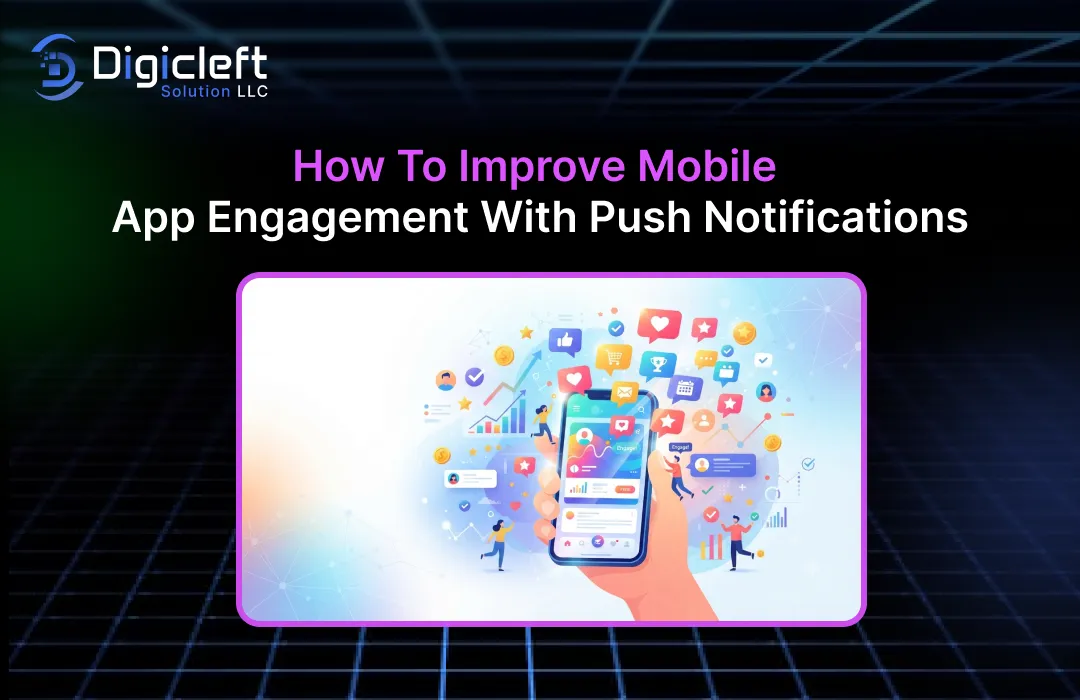
Introduction to Push Notifications and Mobile App Engagement
Getting a person to download the app is actually the easier part. It’s engaging them that’s the tricky part. In fact many a business will have gone through all the pain of creating an app, just to find a bit down the line they can’t seem to retain their user for long – and the drops off gradually after the initial download. And this is the case across every industry – from ecommerce to healthcare to education to banking to entertainment and on-demand. There are so many apps out there competing for your customer’s time and if your app isn’t adding value, it simply gets lost in the crowd.
This is where Push Notifications come in. Push Notifications allow a business to send a message to the user’s device as a direct message, even if the app isn’t open at that point in time. The Push Notification could serve any number of functions, such as reminding a user of a purchase they’ve made, updating the user on a delivery, informing about a new feature or simply to send them an interesting piece of information. If done correctly and sparingly, Push Notifications will lead users back to the app.
Push notifications alone will not provide high mobile app engagement. Excessive, poorly targeted push notifications can be off-putting to users and cause them to turn off notifications completely. The goal of the company is to ensure push notification is received by the right person at the right time. This guide discusses how businesses can maximise mobile app engagement through push notifications and improve the overall user experience.
Benefits of Push Notifications for your Mobile App Engagement
Push notifications – create a communication channel between your business and your mobile app users. They are used to share important information you need your users to know, for example: payment confirmations, appointments reminders, delivery updates, or account activity. Unlike email, a push notification pops up on the device’s notification bar (push inbox) rather than in the email inbox.
It’s not simply about bringing users back to the app. With a considered Push Notification strategy in place, you can enhance the customer experience, encourage repeat purchases, boost discoverability of features and guide people towards completing the journey they’re on. They’re a cue, not an ad that disrupts day.
Increasing User Retention and App Usage
Retention is one of the biggest problems with mobile apps. You might be able to get thousands of downloads, but that’s pretty useless if people are going to stop opening it after 2 days. Push Notifications can help you with this by reminding people about things they’ve already done or overlooked. For example, you might get a fitness app to push a notification reminding someone about a workout they already have scheduled, or a learning app to push a notification reminding someone about a lesson they’ve missed. The notification might give you some motivation to return to the app, rather than the effort of actually searching it out. Over a period of time, the right push notifications can create habits around the app.
Connect More Deeply with the App Users
It is the ability to truly understand your customer that drives a notification system. A message that is one size fits all to all of your customers is not likely to do that. A Push Notification which is in some way linked to an individual’s behaviour is much more likely to cut through. For example, a shopping application could send a Notification to a user as something they viewed comes back into stock, but a booking travel application could send a Notification to a user about a booking they have or an upcoming trip. These notifications show a user is truly being given relevant information rather than simply being asked to pay attention.
10 Better Ways To Improve Mobile App Engagement Through Push Notification
1.Create Customized Alerts Depending on User Action
Personalisation is one of the most powerful ways of ensuring your Push Notifications are as relevant as possible. Each and every user will have different interests, needs and desires and addressing all users by sending them the same message is going to be a sure fire way to get them to disable notifications or delete your app! Using a variety of data sources you can personalise each message for every user, using information such as their browsing history, previous purchases, preferred categories, activities completed and their method of using the app. If you are a food delivery app you could personalise a Push Notification to suggest some restaurants that the customer has ordered from previously, or a shopping app could suggest a product that is related to something that they were recently browsing. The key is to make the users experience feel more useful, not automated. You will of course need to be careful about privacy, and only gather the data necessary for your app.
2. Send Notifications at the Perfect Time
Whether someone interacts with a Push Notification or not can depend on the timing of it. If it comes when someone is occupied, they are probably not going to respond. Come back later with the same Push Notification, and you may be surprised.
They also need to consider customer time zones, app usage, and why they are actually pushing out a message in the first place. A food ordering app could be providing a lunch suggestion in the middle of the day, while a productivity app might send out a reminder in a user’s working hours.
Not everyone has the same routine every day. Use app usage information to determine when the best time is to send. Test different send times and find the most appropriate time based on data. Also please respect hours and do not send non-urgent messages during night time.
3. Segment Your Audience
Audience segmentation is the process of dividing up your audience into groups of users with similar traits or behaviour. It allows you to target your messaging to the right groups of people instead of simply throwing the same message out to everyone who may not even be interested in what you have to say.
You could create a mobile shopping app to segment first time visitors, regulars, non – buy ‘ers and categories of products they prefer to buy. Then could send a notification to your different segments on how they relate to your business.
| User Segment | Suggested Push Notification |
|---|---|
| New users | Introduction to the app and welcome message |
| Active customers | Relevant product recommendations |
| Users who need a reminder | Helpful reminder or new feature announcement |
| Frequent buyers | Loyalty rewards and exclusive offers |
| Abandoned-cart users | Reminder about unfinished purchases |
| Subscribers | Updates about relevant premium features |
Segmentation further enables more control over notification frequency. For example, the number of notifications sent to an active customer should be very different from a customer who hasn’t opened the app in a few weeks.
4. Write Clear and Compelling Notification Messages
People decide within seconds whether a notification is worth reading. The notification must communicate its intent without delay. A lengthy, ambiguous or sales-oriented notification will probably be discarded without a second thought.
Use words, describe what is happening, and give the user a clear reason to open the app. Eg, instead of ‘Check out our latest products today’ an eCommerce app could be ‘Your favourite collection has just had some new arrivals’
A good notification should say what it needs to say with a strong call to action. Avoid talk of urgency, don’t go for hype and don’t use a load of punctuation. The goal is to communicate in an authentic way so that the customer trusts what you say, not so that they click.
5. Put Rich Media and Interactive Notifications to Work
Text is powerful. Enhancing notifications with images can make them more engaging and more useful. Once a user opens a notification, they can add a myriad of features, from images to actionable buttons, to enhance the experience.
For example, a food delivery app may display a food image, an online shopping app may display a new product. You can place interactive buttons that enable the user to do the task directly, without having to go through multiple screens.
Examples include:
- View Order: Navigate to the order tracking window.
- Book Set an appointment booking page.
- Answer: Reply to email directly whenever feasible.
- Offer details – click on to reveal the suitable advertising page.
The thing you want to be sure of is that the interactions are really helpful. Rich media ought to augment the communication, not increase the size of the notifications so much that they become a disruption in and of themselves.
6. Send Behaviour-Based Notifications
Events and actions taken within the application result in behaviour based notifications, rather than just a promotion calendar.
For example if someone added a product to their cart and then just abandoned it the app can then follow up at a later point with a reminder. If they’ve been on a particular module in an education app then the app could recommend to the user what to do next. The same applies to a finance app that could send a user a notification concerning a transaction.
This is a strategy where the communication is directly related to customer behaviour, and it can help the business avoid sending the same communication to a customer who has already taken the requested action.
Don’t be in too much of a rush to implement those automated campaigns, first put some sensible rules around the timing, frequency and recipients of the messages. If a purchase is made then the abandoned cart reminder should be stopped.
7. Offer Relevant Rewards and Exclusive Deals
These rewards can be used to lure users back into your app (if the offer aligns with their preferences). You can reward users with loyalty points, exclusive discounts, early access, referral bonus and customised offers to entice them back.
Picture a loyalty app, which would actually send a notification to the customer, when they make a milestone spend. Instead of bashing out some random discount each day, its recognising the activity of the customer and offering them something relevant.
Incentives should be directed to fostering customer loyalty. Users should be instructed to open the app when the discount is available. Users should be notified only if they have registered to receive notifications and the terms of the offer should be detailed.
8. Design a Frequency Strategy for Smart Notifications
Another mistake that most companies make is that you are better off sending as many notifications as you can. But that’s wrong because if your users get too many notifications, it can cause notification fatigue. The worst thing is they can end up putting your notifications on silence or even deleting your app altogether.
Mistake businesses make: sending too many notifications – people tend to think the more notifications they send, the more engaged users will be but the opposite is true and you can get notification fatigue and the user will end up muting your notifications, and even the app ultimately being uninstalled.
There is no one size fits all for notifications for all apps. A messaging app might need to continually send out live updates, while a shopping app might just want recommendations and order updates.
There is no number of notifications that will work for every app. A messaging app will clearly have to send a bunch of real time notifications but a shopping app could possibly get away with just the occasional (recommendations, order updates etc).
Create a frequency approach that matches your app’s goal and customer preferences. Establish message limitations, do not send replicated alerts and where possible combine up-dates if all them are related to the very same activity.
Create a purpose-driven communication schedule based on intent of the application and customer preference. Set restrictions to the number of messages, avoid duplicate messaging and, whenever possible, combine all your communications into a single message if it pertains to the same activity.
The most important thing is that the user has a choice. The notification preferences should be designed such that the user can easily choose from the available categories to get notifications, change the frequency, and turn the promotional notifications off.
Users should be in charge of what they are getting Users should be able to make decision easily and notification settings should be simple so users know what to choose between types of categories they want to get, how often they want to get them and switch of advertisements.
9. Use Deep Links to Improve the User Journey
A notification should bring you to the content or action that the notification is related to. And that’s when deep linking can really shine.
No links and a user may click on a notification about an order and arrive on the apps home page, forcing users to go and hunt for their order. That’s a minor friction point and may be a little discouraging.
No links and a user might press on a notification about an order update, and land on the apps home page. From there, they have to go and find the order themselves. That’s a bit of a friction point, and can result in them not engaging at all.
When a deep link is configured, that notification can now bring the user straight into the order details screen. A marketing notification might bring the user to the product straight and not to a page of shopping in general.
Having a configured deep link, the notification can go directly to the order details page. Product notifications can guide a customer directly to a product instead of a browse page.
Deep links need to support the user if they are not logged in or have not installed the app, in this situation a fall back should be made available instead of just failing.
Deep links should handle the case when the user is not logged in or does not have the app installed. In that case you don’t want to get an error but instead you want to present an alternative experience.
10. Test and Optimize Notification Campaigns
A good push notification strategy has to be continually enhanced. You can write the best message in the world, but that doesn’t mean that it will work, and so you have to study your campaign results and tweak as needed.
A/B Testing Is a great way to try out different notifications types. You could be testing two different message headlines, two different delivery times, two different images or even two different calls to action. You just need to remember to only change one of these at a time so you will know what’s made the difference.
Evaluate how your campaign is performing with various audience segments. What resonates perfectly to a group of customers, might not hit the same way to a long term user.
Evaluate the effectiveness for different segments of the audience by type of campaign. Even if a message works with a set of customers, it may well fail with long term users.
Use these results to learn and adapt your campaigns – don’t see each alert as a separate effort. That’s how you develop an educated communication plan over time.
Use the insights to optimise your campaigns rather than submitting each notification as an individual activity. This is how you develop an intelligence-based communication plan.
Best Practices for Push Notification Permission Management
When you begin the process of pushing notifications, make sure that you are aware of what permission would be given for the platforms. User should be aware of the fact that they would be getting notifications from your app and what is the content of the notifications.
On iOS apps will need to request permission before they can deliver notification alerts, sounds and badges. It is recommended by Apple that you request permission in context, by showing the user the value before actually requesting permission. Apple is also fully behind providing unauthorised notifications to the user, so that they can decide if they’d like to see the notifications or not.
Android also offers permission management. The good news is that apps can’t show notifications on Android 13 unless they have requested the POST_NOTIFICATIONS runtime permission. To help you get the permission, you should ideally inform users about the notification benefits before showing the system permission prompt.
Here are some practical recommendations:
- We explain to users the value of notifications before requesting permission to access them.
- When user reaches a feature, always ask for permission.
- Allow users to manage notification categories.
- Respect users who choose not to opt in or have notifications disabled.
- Never hit send without consent.
- Regularly check the notification permission status.
Here are some practical recommendations:
- Describe the benefits of notifications before asking for permission.
- Get user permission when the user reaches a feature.
- Allow users to manage notification categories.
- Reverence the consumer should they choose out of or disable notifications.
- Don’t send messages without proper consent.
- Regularly check the notification permission status.
This is the simplest way to build trust. If the user clearly knows what they are agreeing to before clicking allow, they’ll be more inclined to do it.
Having an open permission approach helps to reinforce some level of trust. If a person is more confident in the notification they are less likely to doubt why they have agreed to it.
Push Notification Mistakes We Should Be Avoiding
If you have good mobile app notifications, it could put your business in an awkward position when you’re not sending your notification engagement strategy correctly. Some of the mistakes could seem insignificant initially but can add up to have a negative impact on your customers’ satisfaction and retention.
Send lots of notifications: – notification overuse is not cool. Avoid spam just for the sake of ranking your app higher in the app store. Every single push notification you send should have a reason to be sent.
Send lots of notifications: notifications can get really annoying after a while. Instead of mindlessly peppering your users with the same notification so they open your app more often, ensure you make every notification worthwhile.
Leveraging messages: the message that you choose to advertise does not match the interests of your users. So it hardly stands a chance to draw their attention. Take segmentation and existing customer data into consideration.
Messages: a message that isn’t related to something the user is interested in is unlikely to attract their attention at all. Use segmentation, customer data to make sure you’re talking to the right people.
Don’t let the timing of the notifications. Sending messages at a certain time will distract the user. Think about time zones, at what times customers are active and when they are most likely to check their messages.
Disregard the time of notification. Disrupting the user with a message at a particular hour can be very confusing and distracting. You should consider time zones, as well as the user’s activity and the time they prefer to be spoken to.
If you promise something in a headline and then in the news service you don’t do it, trust in the customer will be lost. Therefore, make sure the headline is correct.
Sending the user back to the screen is going to aggravate them. If you’re notifying them of a product or a transaction, bring the user to the right screen within the app. Don’t make them find it themselves.
Don’t overlook the analytics. There is no way to know which push notification campaigns are successful and which aren’t if you don’t track the results. Be sure to monitor the engagement stats and use them to guide your strategy.
The easiest way to stop making these mistakes is to think of push notifications as a user experience rather than a marketing activity.
How To Measure Push Notification Metrics
In addition to sending them, the other question is this: do your notifications in the first place generate sufficient user activity? Good measurement of performance allows you to evaluate your campaigns, identify your weak points, and take more informed decisions.
| Metric | What It Measures | Why It Matters |
|---|---|---|
| Delivery Rate | Percentage of notifications successfully delivered | Helps identify delivery problems |
| CTR (Click-Through Rate) | Percentage of delivered notifications that users click | Measures message engagement |
| Conversion Rate | Percentage of users who complete the desired action | Demonstrates business impact |
| Retention Rate | Percentage of users who return over time | Indicates sustained engagement |
| Opt-Out Rate | Percentage of users who disable notifications | Helps identify communication issues |
| App Open Rate | Percentage of users who open the app after receiving a notification | Indicates re-engagement |
| Revenue per Campaign | Revenue associated with a notification campaign | Helps assess commercial performance |
Go through the numbers as a group. For instance, a push notification might have a high CTR but not generate any sales. If this is the case then the message has been opened but something on the landing page or the checkout process is stopping the sales.
Another important consideration is to make sure you are separating correlation from campaign impact. If a user is opening an app because of a notification this doesn’t mean the notification has caused that action. Use control groups and campaign attribution if they are available to you to estimate what the reality is.
Off course you should also be reviewing performance by audience segments, campaign type, platform and time of day. This will be your indication of how different audiences react to your communication.
Tools and Technologies for Push Notification Management
Manually handling notifications gets to be a real pain as your app scales. You need the ability to automate, segment, analyze and deliver them.
| Tool or Technology | Main Purpose | Appropriate For |
|---|---|---|
| Firebase Cloud Messaging (FCM) | Sends messages to Android and supported web clients | Apps that need push-delivery infrastructure |
| Apple Push Notification Service (APNs) | Sends remote notifications to Apple devices | Applications for iOS and the Apple ecosystem |
| OneSignal | Manages push campaigns, segmentation and automation | Organisations managing multichannel engagement |
| Braze | Supports customer engagement and personalised messaging | Larger companies with sophisticated engagement requirements |
| Amazon SNS | Sends notifications through supported messaging channels | Applications using AWS infrastructure |
The appropriate method of your app will be determined by your app infrastructure, listing size, budget as well as communication needs. Firebase Cloud Messaging: For those who prefer push delivery for supported platforms, this could be a choice. This guide describes FCM integrating & notification permissions handling in Android documentation. Firebase+1
But platform selection is where it begins. Then you need to look at platform management, rates of failure for delivery of notifications, user opt-in, security, integration with analytics, the integrity of your backend system.
A thoughtfully created notification system should thread very well into the class of the program as well as be sufficiently flexible to help new qualities and developing degrees of use.
The Future of Push Notifications in Mobile Apps
As apps become more intelligent, automated and make use of sophisticated customer analytics. Instead of sending a blanket out to everyone, they can now analyze behavioural data and determine the most relevant message for each customer.
AI powered personalisation. The AI could be used to analyse what the user does and then, based on those actions, deliver the right content, right product recommendations and right points of engagement. Just remember that any automated recommendations need checking, for integrity, privacy and appropriateness.
Predictive engagement is on the rise. Apps can monitor activity and spot when people are at risk of disengagement and then pre-emptively fire a re-engagement campaign. A learning platform, for example, could recognise that a user has ceased completing their lessons and automatically send the user a reminder based on the time that they habitually completed their lessons.
More enhanced interactions with notifications will be coming as well. As the platform matures, organizations will have the ability to present users with a variety of quick ways to respond, take action and get the information they’re after.
Privacy and user control will be paramount. They are happy with updates but it’s not a case of nudge, nudge, nudge. The businesses that are going to excel at relationship building are those that can get to an effective degree of automation but in a considerate way.
How Digicleft Solution Can Help to Enhance The Mobile App Experience
There’s a lot more to a good mobile app than its screens and features. Good UX design, strong coding, speedy loading, and clear, effective communication all go into a great app.
This is where the digicleft solution will come in and enable your business to create digital experiences. It’s about delivering experiences from concept to app build and developing features that continue to excite the user. The key has to be around designing technology that offers real benefit and convenience for the customer.
For example, if your app is for e-commerce then your push notification may include – product recommendations, updates on order status, abandoned cart reminders, and a simple checkout. If your app is for healthcare then your push notifications will include appointment reminders, service updates and has quick access to features. Every app and business has a different set of requirements for their audiences.
This same user centric thinking is also crucial to “How to Create: Engaging, intuitive websites that have maximum effect”. Whether a customer is accessing a website or a mobile application, navigation that is simple and that delivers valuable information, quick speed and simple steps all make up the experience.
A Digicleft solution that is truly effective, would combine these into a separate ‘push notifications’ feature. What a synergy between the mobile app functionality and communications can achieve, is an experience that will bring consumers back, want to discover more and ultimately strengthen the relationship with the brand.
That said, the key isn’t more app push notifications, it’s about the right user experience, and giving the user the right thing, at the right time. A well-timed and well-placed push notification can serve as a reminder, an announcement, an alert, an update or an encouragement to return to the app if there has been no activity for a certain period.
It is important that businesses are now including personalisation, audience segmentation, smart timing, transparency and right frequency of push notifications in their campaigns. They need to look at the response rates or engagement rates of their campaigns and optimise and iterate.
Because of the technology, it is much simpler to automate it. Good customer experience still takes a lot of considerations. And this can be the key between a nice experience and a bad one. What’s the key? Just honoring what your users’ request, giving the relevant information, and pushing them into the relevant app screen.
If you’re looking to build a mobile application, then push notifications should form part of your overall engagement plan. With the proper development and a customer focused Digicleft solution, you can deliver a mobile experience that customers will love.
Frequently Asked Questions (FAQs)
1. How do push notifications improve mobile app engagement?
Push notifications are a useful technique to engage your customers by sending them notifications on your mobile app to their phones. You can remind them of things that they did, inform them about new features, suggest some personalisation and provide some snippets of information. On the way, when push notifications get it right, they push users back to your app.
2. How often should a mobile app send push notifications?
No one size fits all number of push notifications. How often is too often going to depend on which app you’re talking about, your customers and the message you’re trying to communicate. Make sure you don’t fall into the trap of bombarding your users, watch your opt-out rates and give your users the ability to set their own push notification preferences.
3. What is the difference between push notifications and in-app notifications?
There are two types of notifications, those that ‘pop up’ onto the device when not in use (assuming the user has opted-in), and those that appear when the user is actually in the app. Push notifications are perfect for updates/reminders, whilst in-app is better for new features, tips or just some handy information while the user is ‘in’ the app.
4. What tools are best for managing mobile app push notifications?
Most common solutions include Firebase Cloud Messaging, Apple Push Notification Service, One Signal, Braze and Amazon SNS. They all allow to send push notifications, automate them, target specific users and monitor the results. Choosing the best solution depends on your app’s needs and supported platforms, your goal, cost and the level of automation you want to achieve.
5. How do I track the success of my push notification campaigns?
How to Measure Success Delivery rate, click through rate, conversion rate, app open rate, retention rate and opt out rate are all metrics that indicate success. These show what messages are being opened, read, and responded to. Over time, you can use this data to optimize your push notification timing, optimize your message content, and your messaging segment target.