
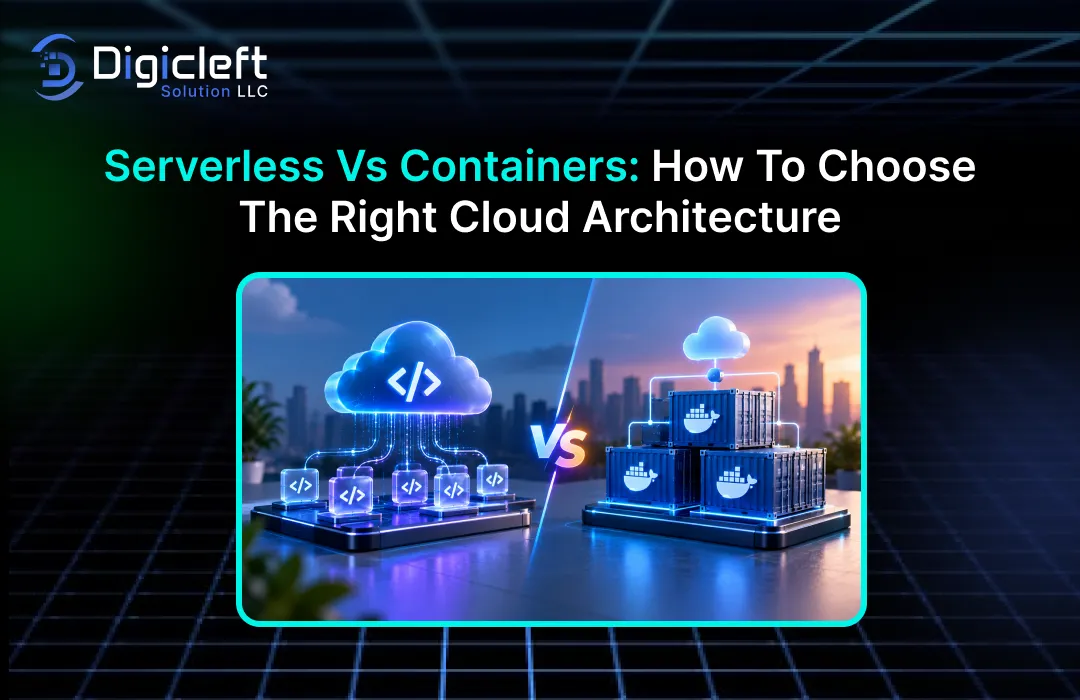
Deciding on a cloud architecture is a bit like laying the foundation for a new building.
You don’t want to spend a lot of time creating something that looks great on paper but becomes costly, hard to manage, or impossible to scale once real users start using it.This is why the discussion around serverless versus containers is so important for modern businesses.Both options can support reliable and scalable applications, but they address different challenges and offer different levels of control to development teams.
Serverless architecture is designed to reduce the need for infrastructure management.
Instead of managing servers, operating systems, capacity planning, and much of the underlying runtime environment, your cloud provider takes care of these tasks.With containers, the approach is different.They bundle an application along with its dependencies into a single, consistent, and portable unit, giving developers more control over the environment in which the software runs.
The interesting thing is that you don’t have to choose one and forget about the other.
Many modern cloud platforms now allow businesses to use serverless services alongside containers.For example, a web application might use serverless functions for handling authentication or event processing, while running its main application inside containers.Another business might use containers for a long-running API and serverless functions for background processing tasks.
So, which option is right for you?
The decision depends on your workload, your team, your budget, your performance needs, your operational maturity, and how much control you need over infrastructure.
What Is Serverless Architecture?
Serverless architecture is a cloud computing model where the cloud provider manages much of the underlying infrastructure.
Despite the name, servers are still involved—they’re just managed behind the scenes rather than by your development team.Developers focus on writing application code, while the platform handles tasks like resource allocation, scaling, availability, and infrastructure maintenance.
This model works especially well for applications that respond to events or requests rather than requiring a server to be running all the time.
For instance, imagine an online store where a product image is uploaded and needs to be resized.Instead of keeping a dedicated server just for occasional image processing, a serverless function can run when the image is uploaded, perform the resizing, and then stop once the task is done.
This changes how teams approach infrastructure.
Instead of asking, “How many servers do we need?” developers can focus on questions like, “What should happen when this event occurs?” This is why serverless has become popular for APIs, automation, scheduled jobs, file processing, notifications, and event-driven applications.
How Serverless Works
A serverless application typically uses several managed cloud services working together.
One might handle compute, another might manage authentication, another could store data, and another might handle queues or events.The application becomes a collection of smaller components connected through APIs and events.
This approach can significantly reduce the work involved with infrastructure, but it doesn’t eliminate the need for architectural decisions.
You’ll still need to consider topics like authentication, permissions, data storage, monitoring, error handling, retries, logging, testing, and dependency management.Serverless just moves these responsibilities away from the development team.
The main benefit is elasticity.
When traffic increases, the platform can automatically add more compute resources.When traffic decreases, it can remove unused resources.This makes serverless a great choice for applications with unpredictable or highly variable demand.
However, there are trade-offs.
Some serverless environments come with limitations, such as restrictions on runtime, execution time, networking, or resource usage.Cold-start latency—when a serverless function takes longer to start—can be a concern for certain applications, though modern platforms have ways to reduce this.A poorly designed serverless system can also become complex, especially when many functions and managed services are interconnected.
What Are Containers?
Containers package an application along with the libraries, dependencies, configuration, and runtime components it requires.
This creates a portable, consistent software unit that can run the same way on development machines, testing environments, cloud platforms, and production systems.
Think of a container like a standardized shipping box.
Instead of shipping individual parts and hoping they work together when they arrive, you package everything the application needs into one predictable unit.This consistency is a key reason containers have become so popular in modern software development.
Containers offer developers more control compared to many serverless setups.
You can select the operating system base image, install specific packages, set up runtime dependencies, and manage how the application operates inside the container.
Containers are frequently used for microservices, APIs, web apps, background workers, data processing systems, and applications requiring unique environments.
They can be run on managed platforms or within orchestration systems such as Kubernetes.
The trade-off is increased operational complexity.
Containers don’t guarantee “no infrastructure.” Depending on the platform, someone may still need to consider orchestration, networking, security, image management, observability, scaling, deployments, and resource allocation.
Serverless vs Containers: The Key Differences
| Factor | Serverless | Containers |
|---|---|---|
| Infrastructure management | Very low | Low to high depending on platform |
| Environment control | Limited | High |
| Scaling | Usually automated | Automated or configured |
| Deployment unit | Function/service | Container image |
| Portability | Depends on services used | Generally high |
| Long-running workloads | Sometimes limited | Strong fit |
| Event-driven workloads | Excellent | Good |
| Operational complexity | Usually lower | Can be higher |
| Runtime customization | More limited | Extensive |
| Best fit | Variable, event-driven workloads | Consistent, customized applications |
Infrastructure Control
This is likely the most significant difference.
With serverless, you intentionally give up some control in exchange for convenience.
The provider handles much of the underlying infrastructure, allowing developers to focus on the application’s behavior.That can be great for a small development team looking to launch quickly without taking on full infrastructure responsibility.
Containers offer greater flexibility.
If your application needs a specific operating system package, custom runtime, specialized library, or unusual configuration, a container is often easier to customize.
That control can be valuable as systems become more complex.
A company running a standard web API might not need much customization.However, a company running a specialized processing engine, machine learning workload, legacy application, or complex enterprise system might need much more control over its environment.
The question is simple: Do you actually need that control?
If the answer is no, managing it can become unnecessary work.
Scalability and Traffic Patterns
Serverless is especially appealing when traffic is unpredictable.
If your application receives 500 requests during a quiet period and then 50,000 during a promotion, an elastic serverless platform can handle those fluctuating demands without your team manually adding servers.
Containers can also scale very well, especially when used on managed container platforms or orchestration systems.
However, you usually have more configuration decisions to make.You may need to define minimum and maximum replicas, CPU and memory allocations, scaling rules, health checks, and deployment strategies.
For applications with steady traffic, containers may be easier to plan from a resource perspective.
You can estimate how much compute the application needs and maintain an appropriate number of running instances.
For applications with highly variable traffic, serverless can reduce the need for capacity planning by your team.
Cost and Resource Usage
Cost is where architecture discussions often become misleading.
Some assume serverless is always cheaper because you pay for usage, while containers are thought to be more expensive since they require continuously running resources.
This is too simplistic.
Serverless can be cost-effective for intermittent workloads.
If an application spends much of its time idle, paying only for execution when needed can make sense.For example, AWS describes Lambda as a pay-per-use service where pricing is based on requests and execution duration.
Containers can be an attractive option for continuously running applications.
If your service needs steady compute capacity around the clock, a containerized deployment may offer more predictable costs.
There are also hidden costs.
Developer time, monitoring, and engineering complexity matter.A technically cheaper infrastructure option can become expensive if it requires significantly more developer effort to operate.
Instead of asking, “Which architecture is cheaper?” consider asking, “Which architecture gives us the lowest total cost for this workload?”
Deployment and Operations
Serverless generally reduces operational responsibilities.
You deploy your functions or services, and the platform handles much of the underlying infrastructure.
Containers require a bit more thought.
You need container images, registries, deployment mechanisms, configuration, health checks, and observability.
If you are using Kubernetes, the number of operational tasks can increase significantly.
This is not always a drawback.
Experienced engineering teams might appreciate the flexibility that containers offer.They may already have CI/CD pipelines, monitoring tools, security measures, and infrastructure-as-code practices that are tailored for containers.
However, for a smaller company developing its first cloud-native application, serverless can offer a quicker way to get to production.
Performance, reliability, and security are not solely determined by the technology used, but by how well the architecture matches the workload.
Serverless functions can be very fast, but factors like startup time, function size, dependencies, network setup, and runtime choices can affect latency.
Applications that require very low and consistent latency might need special configuration or a different approach.
Containers, when set up to run continuously, provide a stable environment.
This is helpful for applications that need to keep connections open, manage long-running processes, or ensure predictable behavior.
Reliability also depends heavily on the architecture, not just the compute model.
Poorly designed serverless applications can fail just as easily as poorly designed container-based ones.Effective systems use retries wisely, monitor failures, separate components, protect dependencies, and plan for graceful degradation.
Security works similarly.
While serverless reduces some infrastructure management tasks, developers still need to handle identity, permissions, secrets, application vulnerabilities, APIs, data access, and dependencies.
Containers offer more control, but with more control comes more responsibility.
Image scans, dependency updates, minimized privileges, secret protection, and runtime monitoring are essential.
Serverless is often the best choice when an application is event-driven, unpredictable, or can be easily broken into independent functions or services.
Consider a business application that receives customer requests via an API, stores data in a managed database, sends messages through a queue, and runs background tasks after an order is created.
There may be little need to maintain dedicated servers for each part of this process.
Serverless can also be great for startups.
Early-stage companies often don’t know how quickly their application will grow.Serverless lets the team focus on building the product rather than spending time designing infrastructure for potential traffic.
Another benefit is speed.
Developers can experiment, release smaller features, and automate infrastructure through code.This can bring an idea to a working feature much faster.
Serverless is especially suitable for the following types of workloads:
- Event-driven APIs
- Background processing
- Scheduled automation
- Image and file processing
- Notification systems
- Webhooks
- Lightweight backend services
- Applications with variable traffic
- Data transformation tasks
- Workflow automation
It is especially appealing when the workload is occasional or unpredictable.
Containers are more beneficial when you need better control over the application environment or when your workload is designed to run continuously.
A containerized application can include its exact runtime setup, making it easier to transfer between development, testing, and production environments.
This consistency is especially helpful for larger teams working on complex projects with many dependencies.
Containers are also a good choice for modernizing old systems.
Instead of fully rewriting an application for serverless environments, a company can start by packaging it in a container and moving it to a managed container platform.This offers a practical way to modernize without requiring a complete redesign.
Containers can also be useful when an application needs to run for a long time, uses special libraries, has custom networking, requires persistent connections, or needs specific runtime settings that are hard to manage in a traditional serverless function.
Common workloads that suit containers well include:
- Large web applications
- Microservices
- Long-running APIs
- Modernizing legacy applications
- Custom runtime environments
- Systems requiring specialized processing
- Applications with specific dependencies
- Workloads needing portability
- Complex enterprise systems
- Systems already using Docker and CI/CD pipelines
The more your application depends on environmental control, the more containers can offer value.
A hybrid approach using both serverless and containers can be more effective than choosing one over the other.
Many businesses make the mistake of treating serverless and containers as conflicting technologies that must be completely separate.
They are not.
A modern application can use both.
For example, an e-commerce site may run its core services in containers while using serverless functions for image processing, order alerts, scheduling, and event-based automation.Containers provide a stable runtime, while serverless handles short bursts of work.
This hybrid model can also lower the risk of migrating an entire system.
Instead of moving all parts to serverless, a company can gradually shift only the workloads that are well-suited for serverless.
Managed cloud platforms are making the distinction between serverless and containers even less clear.
Google Cloud explains that containerized apps can run in serverless environments, while Microsoft describes Azure Container Apps as a fully managed serverless container service with automatic scaling.
In short, serverless and containers are not always on opposite ends of the architectural spectrum.
Sometimes, serverless is the way the system operates, and containers are the way the application is packaged.
Choosing the right cloud architecture starts with understanding your application.
Consider these factors:
- Does the workload respond to events?
- Does it need to run continuously?
- Does it require a custom environment?
- Does it face unpredictable traffic?
- Does the team have strong container-orchestration skills?
Evaluate these points:
| Question | Favor Serverless | Favor Containers |
|---|---|---|
| Traffic changes dramatically? | Yes | Possible |
| Mostly event-driven? | Strong fit | Possible |
| Needs custom runtime? | Less suitable | Strong fit |
| Runs continuously? | Possible | Strong fit |
| Small operations team? | Strong fit | Depends |
| Need portability? | Depends | Strong fit |
| Complex dependencies? | Possible | Strong fit |
| Need maximum environment control? | No | Yes |
There’s also a strategic question: what does your team want to manage?
If managing infrastructure isn’t a competitive advantage, reducing that burden could be smart.
On the other hand, if your application needs deep customization, containers may be worth the extra operational effort.
Cloud architecture plays a key role in website development.
Modern websites are no longer just static HTML pages on a server.They often include APIs, user dashboards, authentication, payment integrations, analytics, search, content management, automation, and third-party services.
This is where technical design and user experience must align.
A technically advanced backend doesn’t guarantee a successful website.
Users care about speed, simplicity, navigation, reliability, and whether they can complete tasks without confusion.As a result, businesses should consider both infrastructure and user experience when building digital products.
For companies working on modern web projects, the principle of “How to Create: Engaging and Intuitive Websites for Maximum Impact” is a useful guide.
The goal should be to use technology to support the user experience, not replace it.
A digicleft solution takes this idea further by combining thoughtful website design with a solid technical foundation.
The focus should be on building the website around business goals, user expectations, scalability needs, and long-term maintainability, not just choosing between serverless or containers based on popularity.
If a website experiences unpredictable traffic and has light backend operations, using serverless architecture might simplify the system design.
However, if the application requires a complex backend with specific dependencies, containers could offer more flexibility.When different parts of a website function in different ways, a hybrid architecture may be the most practical solution.
Practical Migration Strategy
If you already have an application, there’s no need to rebuild everything at once.
Begin by examining the existing system.
Identify the database, APIs, background jobs, authentication layer, file processing, scheduled tasks, and any external integrations.Then classify each component based on its behavior.
Some services may be ideal for serverless, while others might fit better within containers.
Some components may remain untouched until a later stage of the migration.
A gradual approach usually lowers risk.
You can move one workload, assess how it performs, monitor costs, and learn from the experience before updating the rest of the system.
Containers can also serve as a good intermediate step for older applications.
Once an application is consistently packaged, it becomes easier to move between development and production environments.
The aim should not be to move everything to the cloud.
Instead, the goal is to build a cloud architecture that is simpler to operate, scale, secure, and evolve.
Common Mistakes to Avoid
The first mistake is selecting a technology just because it’s popular.
Serverless has gained a lot of attention, but not every application should be built as a collection of functions.Containers are also widely used, but putting Kubernetes in place for a small application can add unnecessary complexity.
The second mistake is considering only the cost of infrastructure.
While compute costs are important, engineering time, monitoring, debugging, networking, security, deployment complexity, and maintenance all affect the total cost of an architecture.
Another common mistake is ignoring how an application behaves.
A workload that runs continuously is different from one that only runs for a few seconds in response to an event.
Finally, businesses sometimes forget about the people managing the system.
An architecture that looks great on paper may be hard for the existing team to maintain.The best architecture matches both the technical needs and the capabilities of the organization.
Conclusion
The debate between serverless and containers doesn’t have a single winner.
Serverless is great when you want minimal infrastructure management, automatic scaling, and a good fit for event-driven or variable workloads.Containers excel when you need portability, control over the environment, custom dependencies, or reliable support for long-running applications.
The best decision starts with your workload rather than your preferred technology.
Consider traffic patterns, performance needs, security requirements, operational skills, application dependencies, portability, and total cost.Then choose the architecture that solves the real problem.
Remember that architecture doesn’t need to be all or nothing.
A business can use containers for core services and serverless for background tasks.It can also run containers on a managed serverless platform, combining container portability with less infrastructure management.Modern cloud services increasingly make these combinations practical.
In the end, the right cloud architecture is one that gives your team enough control to build what matters without forcing you to manage complexity that doesn’t add real business value.
FAQs
1.Is serverless better than containers for startups?
Not automatically.
Serverless can be appealing for startups because it reduces infrastructure management and handles changing traffic without detailed capacity planning.Containers may be better when the startup needs a custom runtime, wants strong portability, or has container expertise.The right choice depends on the product and workload rather than the company’s size alone.
2.Are containers more expensive than serverless?
Not necessarily.
Serverless can be cost-efficient for workloads that don’t run constantly because you’re only billed for what you use.Containers may be more cost-effective for applications that require continuous compute power.The best comparison should include infrastructure costs as well as engineering, monitoring, maintenance, and operational costs.
3.Can serverless and containers be used together?
Yes.
This is becoming more common.A business can use containers for its main application services and serverless functions for event-driven jobs, notifications, scheduled processes, or background tasks.Managed services can also run containers using a serverless operational model.
4.Which architecture is better for a high-traffic website?
There is no single correct solution.
A website with high traffic and consistent workload patterns may find containers beneficial, whereas a site with unpredictable traffic spikes may benefit more from serverless elasticity.Many large applications use both containerization and serverless technologies in combination.
5.Should a business migrate an existing application to serverless?
Migration should occur only when the advantages outweigh the effort required to redesign the application.
Serverless is particularly effective for specific components like APIs, automation tasks, background processes, and event-driven workflows.For existing applications, a phased migration is typically a safer approach compared to a complete rewrite all at once.

