
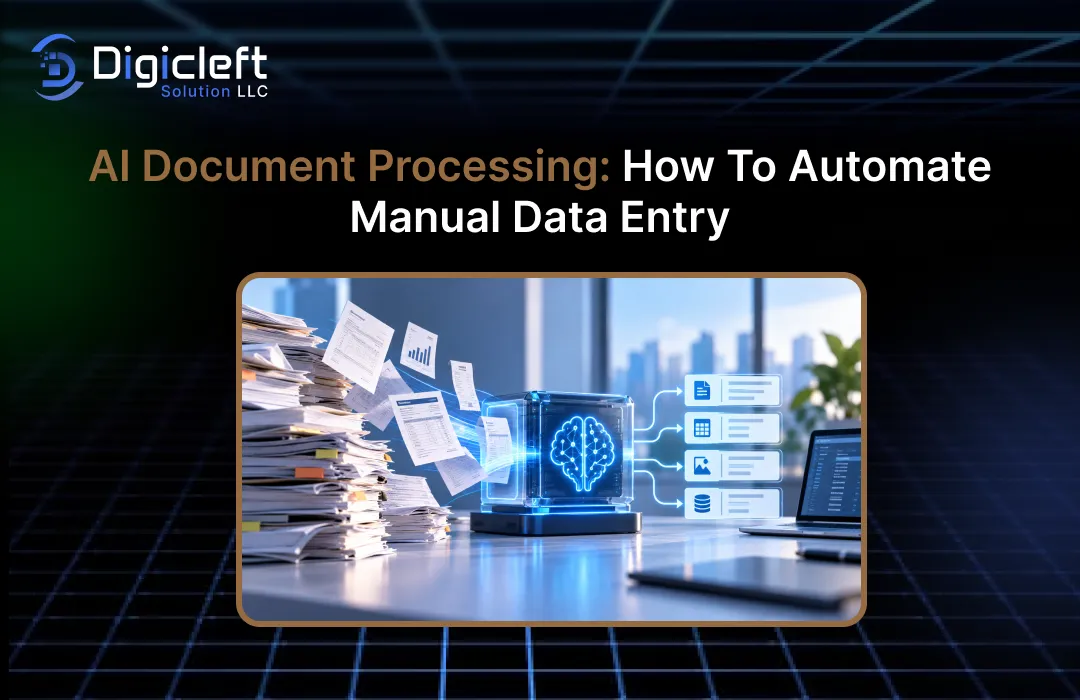
Picture beginning your workday with a stack of invoices, receipts, purchase orders, application forms, contracts, or scanned PDFs waiting to be input into your business system.
You open one document, locate the customer name, copy the invoice number, type the date, enter the amount, check the tax, save the record, and move on to the next file.You repeat this process again and again.By lunchtime, you may have spent several hours on tasks that are essential but not strategic.
This is precisely where AI document processing can transform how a business operates.
Instead of asking employees to read documents and manually input information into spreadsheets, accounting platforms, CRMs, ERPs, or databases, AI can read the documents, identify useful information, extract relevant fields, validate the results, and send structured data into the next step of a workflow.Modern intelligent document processing can work with PDFs, images, forms, spreadsheets, and other document types, making it especially useful when information comes in various formats.
The idea isn’t just to replace people with software.
The bigger opportunity is to eliminate repetitive tasks so that employees can spend more time on activities that need judgment, communication, creativity, and problem-solving.When implemented properly, AI document processing becomes less like another software tool and more like a digital bridge between messy documents and organized business data.
What Is AI Document Processing?
AI document processing uses artificial intelligence, optical character recognition, machine learning, natural language processing, and automation technologies to convert information inside ai documents into usable digital data.
Traditional document processing often relies heavily on predefined rules and fixed layouts.AI-based systems can go further by recognizing patterns, understanding context, classifying documents, extracting information, and handling variations between documents.
Consider invoices from ten different suppliers.
The information you need may be almost the same on every invoice, but the placement of that information can vary greatly.One supplier might put the invoice number in the top-right corner, another might place it under the company logo, and another might embed it within a table.A human can usually figure this out quickly because humans understand context.AI document processing aims to give software some of that contextual ability.
A typical intelligent document processing workflow includes classification, data extraction, validation, and output.
The system first identifies what type of document it has received.Then it locates important fields such as names, dates, addresses, totals, account numbers, line items, or contract terms.After extracting the information, it can check against business rules and pass the data into another application or workflow.This approach can transform documents from static files into structured business information.
AI Document Processing vs Traditional Data Entry
Traditional data entry depends on people manually reading documents and typing information into another system.
This approach can work when the volume of documents is small, but it becomes increasingly challenging as a company grows.More customers usually mean more forms, more invoices, more receipts, more applications, and more records.
AI document processing changes the sequence.
Instead of an employee acting as the link between the document and the database, software handles much of the initial reading and extraction.A person can then review exceptions, correct unusual cases, and approve important decisions.
That distinction is important.
Automation doesn’t necessarily mean that every document should move through the system without human involvement.A smarter approach is often straight-through processing for predictable documents combined with human review for uncertain or high-risk cases.This gives businesses speed without pretending that AI will never make mistakes.
Why Manual Data Entry Is Still a Business Problem
Manual data entry often seems harmless because each individual task appears small.
Enter a customer name here.Copy an invoice number there.Type an amount into a spreadsheet.Check a date.Upload a file.Repeat.The problem becomes clear when you multiply a few minutes of work by hundreds or thousands of documents.
Repetitive document processing also creates an uncomfortable combination of costs.
Employees spend time on administrative work, errors need to be corrected, documents can become bottlenecks, and customers may wait longer for applications or approvals to move forward.The business may eventually hire more people simply to keep up with increasing document volumes.
There is also a concern about consistency.
Two employees may have different interpretations of a document, particularly when the information is not clear or formatted in an unusual way.For example, one employee might enter a company name differently from another, or a decimal point may be overlooked.Dates can be misunderstood, and data might be placed in the wrong column.These small errors can spread through the system and affect accounting, customer service, reporting, or compliance processes.
IBM has previously pointed out that organizations that deal with a lot of documents often spend a lot of time on manual processing.
Microsoft describes intelligent document processing as a method that allows scanning, reading, extracting, categorizing, and organizing information from large volumes of documents.
The Hidden Cost of Repetitive Document Work
The largest cost is not always the employee’s hourly rate.
It’s important to look at the whole process.Someone receives a document, opens it, reads through it, enters data, checks if the information is correct, saves the record, attaches the original document, and maybe sends an email or passes the task to another department.
Now think about that process repeating thousands of times.
There is also an opportunity cost.
Your finance team could be analyzing cash flow instead of manually entering invoice details.Your sales team could be talking to customers instead of updating records by hand.Your operations team could be solving supply chain issues instead of maintaining spreadsheets.Your administrative staff could be handling customer communication instead of continually transferring data from PDFs.
That is why AI document processing should be seen as a way to improve workflows, not just as an OCR upgrade.
OCR can recognize text, but AI-powered document processing can understand what that text means, determine where it belongs, validate it in the context, and trigger the next business step.
How AI Document Processing Works
At a high level, the process is easier to understand than it sounds.
A document is introduced into the system.The AI reviews its content and layout.Key information is extracted, checked, and transformed into structured data.This data is then sent to the application or workflow that needs it.
Modern systems often use a combination of technologies to achieve this.
OCR is helpful for converting printed or scanned text into machine-readable format.Computer vision can help analyze document layouts, tables, images, and other visual elements.Machine learning can be used to classify documents and identify patterns.Natural language processing can assist in interpreting the meaning of text and the relationships between different pieces of information.
What matters is that these technologies can work together.
A scanned invoice, for instance, may first require OCR.The system then needs to recognize that the document is an invoice, not a purchase order.It must locate the supplier’s name, invoice number, date, tax, total amount, and line items.Finally, it must convert this information into a structured format that another business system can understand.
Document Capture and Classification
The first step is getting documents into the processing system.
These documents may arrive through email attachments, cloud storage, websites, mobile apps, scanners, shared folders, or internal business systems.
Once received, the AI can classify them.
Classification essentially answers a simple question: What am I looking at?
Is it an invoice?
A receipt?A purchase order?A customer application?A tax form?A contract?A bank statement?
This step is important because different document types contain different types of information.
An invoice requires specific fields, while a contract may need clauses, dates, parties, renewal terms, or obligations.A customer onboarding form may require personal and account details.
After the document is identified, the system can use the appropriate extraction process.
This makes the workflow more adaptable than searching for text in fixed locations.
OCR, AI Extraction, and Data Validation
OCR remains a key part of document automation as many business documents still arrive as scans or images.
However, OCR alone does not always understand the meaning behind the text it recognizes.
For example, an invoice might contain the text “$4,850.00.” OCR can identify those characters, but AI document processing must determine whether this amount represents a subtotal, tax, total amount, balance due, or something else.
Context is essential in making that distinction.
Once the information is extracted, validation becomes important.
A system can check if a date is in the correct format, if the total on an invoice matches the sum of its line items, if an account number follows the right structure, or if a supplier exists in the company’s database.
When something appears unusual or unclear, the workflow can forward the document to a human reviewer.
This human-in-the-loop approach is especially helpful in handling sensitive business processes.
Instead of making employees review every document, the system can direct attention to only the exceptions that require human judgment.
Documents You Can Process With AI
One reason AI document processing has become more valuable is the wide range of documents that businesses deal with daily.
Companies rarely depend solely on clean database records.Important data is often locked inside PDFs, scanned files, emails, forms, images, and attachments.
Invoices are a clear example.
AI can extract information like supplier details, invoice numbers, dates, amounts, taxes, purchase order references, and line items before sending the data to an accounting or ERP system.
Receipts and expense reports are another strong use case.
Instead of manually entering every receipt into an expense platform, employees can upload images, allowing software to automatically capture merchant names, dates, categories, and amounts.
Customer forms can also be handled automatically.
Applications, onboarding documents, registration forms, and service requests can be processed without manual input, reducing the need for employees to re-enter information.
Contracts present another opportunity.
AI can identify key details like names, dates, renewal terms, payment information, clauses, and other relevant data.However, when legal interpretation is needed, it’s important to involve human reviewers.
The same principle applies to purchase orders, insurance claims, shipping documents, tax forms, bank statements, medical administration documents, and many other workflows that involve a lot of documents.
Invoices, Receipts, Forms, and Contracts
The best candidates for automation typically have a few common traits: high volume, repetitive processing, clearly identifiable information, and a clear business impact.
For example, imagine a company handling 20,000 invoices each month.
Even if each invoice takes just a few minutes to review and enter, the total workload is significant.Automating the initial capture and data extraction can free up employees from repetitive tasks, allowing them to focus on exceptions and approvals.
Recent reporting from Microsoft customers highlights a real-world example: Concentrix implemented an AI-powered workflow for utility invoices and reported processing 100,000 invoices per month, with extraction accuracy reaching as high as 99% in January 2026.
The lesson here isn’t that every organization will reach the same level of efficiency.
The key takeaway is that document automation can handle large volumes effectively when the workflow, data, validation, and technology are designed together.
Benefits of Automating Manual Data Entry
The most obvious advantage is speed.
Software can handle large numbers of documents without requiring employees to manually enter each field.This reduces processing time and helps businesses respond faster to customers, suppliers, employees, and partners.
Another benefit is consistency.
A well-designed system can apply the same extraction and validation rules every time.While it doesn’t eliminate errors, it can significantly reduce the inconsistencies that come with repetitive manual work.
Thirdly, automation supports scalability.
If document volumes double, a manual process generally requires more human resources.An automated workflow can often manage higher volumes more efficiently, especially when most documents follow predictable patterns.
There is also a less obvious benefit: better use of employee time.
People are typically more valuable when they are reviewing exceptions, solving customer problems, investigating discrepancies, and making decisions, rather than copying numbers from one screen to another.
Speed, accuracy, and scalability are closely related.Faster processing can enhance the customer experience.Better extraction and validation can reduce the need for manual corrections.Scalability allows a business to expand without requiring an equal increase in administrative workload.
However, it is crucial not to view AI accuracy as an automatic guarantee.
The accuracy of AI depends on several factors, including the quality of the documents, the languages used, the layout of the documents, handwriting, tables, business rules, model capabilities, and the complexity of the workflow.
A successful implementation of AI should assess real performance using actual documents.
It is important to track extraction accuracy, the rate of exceptions, processing time, correction time, and the percentage of documents that can be processed without human intervention.
The goal is not just to state that “we use AI.” Instead, the aim is to demonstrate that the new process is quicker, more dependable, and more beneficial than the previous method.
How to Implement AI Document Processing
The most effective way to begin is not by trying to automate every document in the company.
Instead, select one workflow where manual data entry is costly, repetitive, and can be measured.
Invoices, employee expense reports, customer onboarding forms, purchase orders, and claims are often good starting points.
Choose a process where the team already understands the current challenges.
Next, document the existing workflow in detail.
Consider where the documents come from, who reads them, what information is entered, where that information goes, who checks it, what happens when information is missing, and what causes delays.
Once you understand the current process, identify the fields that need to be extracted and the business rules that need to be applied.
Also, define how the system should respond when confidence in the extracted data is low or when the information conflicts with existing records.
Start With One High-Volume Workflow
A focused pilot offers valuable insights.
Rather than spending months building a large automation platform, test one workflow, assess its performance, collect edge cases, and improve the system accordingly.
For example, you might start with supplier invoices.
During the initial phase, AI can extract the invoice number, supplier name, date, purchase order number, subtotal, tax, and total.A validation layer then checks these fields.Data that meets the required criteria is processed automatically, while uncertain data is passed to an employee.
After a few weeks, you can evaluate where the system works well and where it faces challenges.
Perhaps invoices with tables require more attention.Maybe certain suppliers use unusual layouts.Or maybe scanned documents are of lower quality.These observations can guide future improvements.
This approach is much safer than assuming an AI system will work perfectly from the start.
Human Oversight, Security, and Integration
Automation should not replace human judgment in every process.
In many organizations, the most effective model is a combination of AI and human oversight.
Low-risk, predictable documents can move through the system automatically.
However, high-value transactions, ambiguous documents, unusual cases, or sensitive information should be reviewed by employees.
Security is equally important.
Documents often contain customer data, financial details, employee records, contracts, and confidential business information.Access controls, encryption, retention policies, audit logs, vendor assessments, and proper data governance should be part of the implementation, not overlooked.
AI systems also need clear boundaries.
If an extraction model isn’t certain about a field, the workflow should have a defined response.Avoid forcing the system to guess, especially when uncertainty could lead to financial or legal issues.
Connecting Extracted Data to Business Systems
Extracting data is just the first step.
The true value emerges when the extracted information is sent to the right system and triggers the next action.
An invoice, for example, might be extracted and sent to an ERP system.
A customer application could create or update a CRM record.An expense report might enter an approval workflow.A purchase order could be matched with an invoice.A claims document could be routed to the appropriate processing queue.
IBM’s recent work on agentic document workflows highlights this direction: modern systems are moving beyond just extraction to workflows where AI can support verification, validation, and subsequent actions.
This is where document processing becomes particularly valuable.
Rather than thinking of AI as a tool that simply “reads PDFs,” consider it as a layer that transforms unstructured data into actionable insights.
Real-World Applications and the Future
The future of AI document processing is heading toward more adaptable systems that can understand increasingly complex documents and engage in broader business workflows.
Modern solutions are now being applied to handle tasks like invoices, claims, forms, contracts, expenses, and other processes that involve a lot of documents.
The next stage is not just about improving Optical Character Recognition (OCR).
It’s about achieving a better understanding, validation, reasoning, and coordination of workflows.AI systems are increasingly being linked to databases, business software, automation tools, and AI agents.
This marks an important change.
In the past, a document was something employees had to read before any business process could start.Now, the document itself can serve as the starting point for an automated workflow.
This also makes AI initiatives more practical.
A lot of enterprise knowledge is stored in documents that weren’t meant to be used by AI.For example, recent work by IBM on Docling focuses on turning complex documents into structured, AI-ready data while keeping elements like layout, tables, and reading order intact.
For businesses, this means document processing can be a key part of a broader data strategy.
This is where digicleft’s solution approach becomes valuable: the goal should not be automation just for automation’s sake.
The goal is to connect people, documents, data, and digital workflows in a way that makes daily operations more efficient.
If your organization is still spending hours manually entering information from documents into software, there’s likely a better way to use that time.
A well-designed AI document processing workflow can handle repetitive extraction tasks, leaving people to focus on decisions that truly require human judgment.
Conclusion
AI document processing is transforming how businesses handle manual data entry.
Instead of treating documents as static files that employees must read and retype, organizations can use AI to classify documents, extract information, validate data, and connect results to automated workflows.
The biggest opportunity isn’t just saving a few minutes per document.
It’s redesigning the entire process around faster information flow.Employees spend less time copying data, customers receive faster responses, and business systems get structured information without relying on endless manual transfers.
The best results usually come from starting small, measuring performance, keeping humans involved where judgment matters, and connecting document extraction directly to business applications.
When these elements come together, AI document processing can turn one of the most repetitive parts of business operations into a streamlined digital workflow.
As AI systems become better at understanding complex documents, the line between document processing and intelligent workflow automation will continue to blur.
FAQs
1. What is AI document processing?
AI document processing uses artificial intelligence to read, classify, extract, validate, and organize information from documents.
It can process formats like PDFs, scanned images, forms, invoices, receipts, and other business documents.
2. Can AI completely replace manual data entry?
AI can automate much of repetitive data entry, but it’s not suitable for replacing human input in every scenario.
Human review remains important for documents that are unclear, contain exceptions, involve sensitive information, or require business judgment.
3. What is the difference between OCR and AI document processing?
OCR mainly converts text from images or scanned documents into machine-readable text.
AI document processing goes further by interpreting document structure and context, extracting specific fields, validating information, classifying documents, and potentially sending the resulting data into automated workflows.
4. Which business documents are best for automation?
Invoices, receipts, purchase orders, application forms, expense reports, claims, onboarding documents, and other high-volume documents with repetitive data fields are often good candidates.
The best starting point is usually a process with a measurable manual workload and clear business rules.
5. How can a business start using AI document processing?
Begin with one high-volume workflow rather than trying to automate everything at once.
Identify the information employees repeatedly enter, choose an appropriate document-processing solution, set up validation rules, create a system for handling exceptions through human review, and measure results using real business documents.

